Lite3 Nav2 Route Testing
Demo available here. Note: registration required. Code available here
Overview
The Lite3 is a quadruped robot by DeepRobotics. An SDK is available here though for this demonstration we will be using our own fork. It provides the locomotion controller, turning /cmd_vel into joint commands.
In this demo, Nav2 drives the Lite3 along a route recorded by the artefacts-route recorder in rviz, running through a simulated world extruded from the route’s map. The test asserts that the robot reaches every waypoint, and is parametrized over the walking speed to see how fast the Lite3 can follow the route.
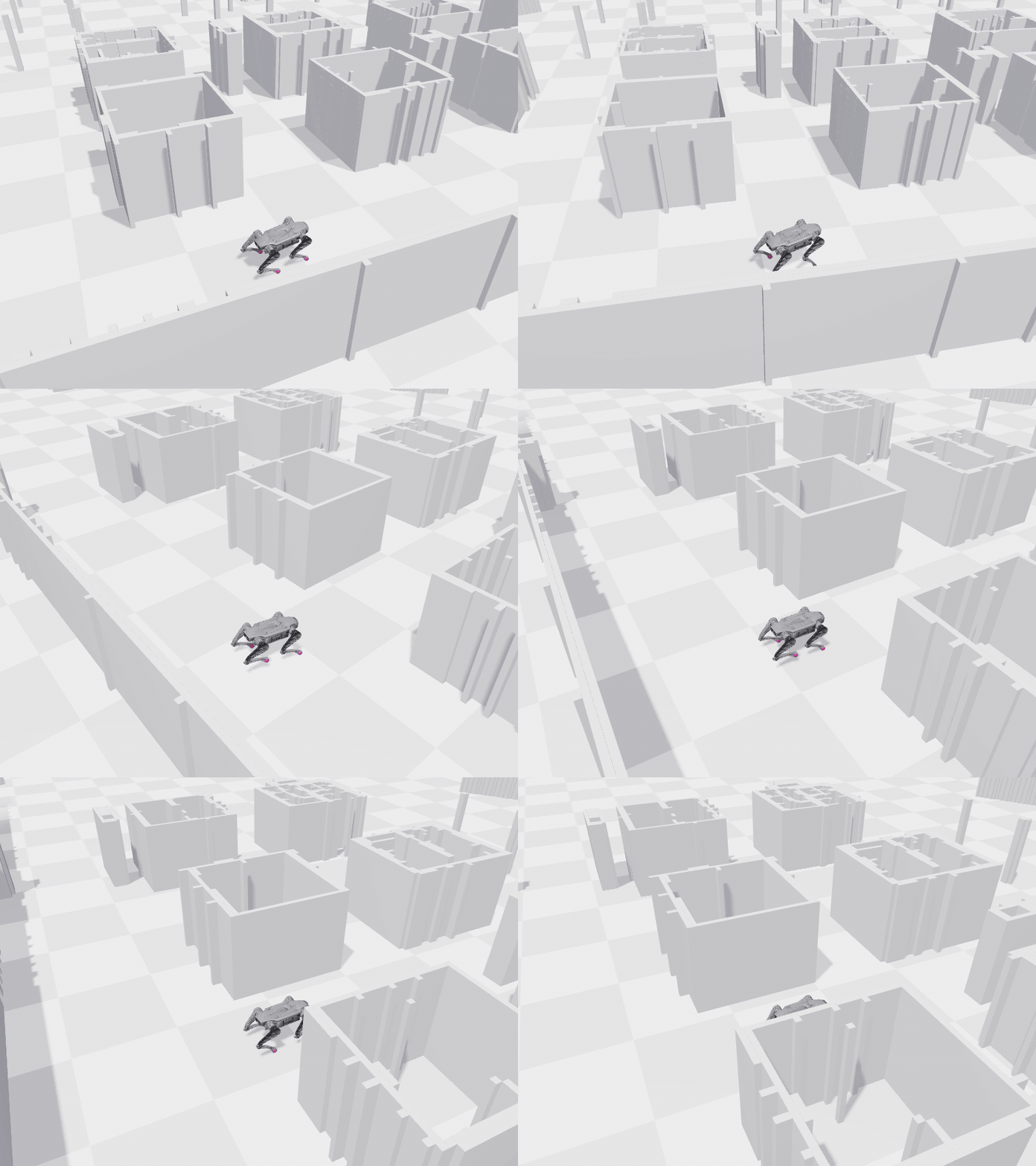
The project is run using:
- Newton (simulator), with the Lite3 and a 2D lidar
- ROS 2 Jazzy and Nav2 (navigation), with Regulated Pure Pursuit as the path-following controller
- pytest (writing tests)
- artefacts-toolkit-navigation (recording routes, building the world, driving the route)
- Artefacts (test automation and results review)
Recording a route
A route is a start pose and an ordered list of waypoints on a map. It is recorded once, by hand, in RViz:
artefacts-route record --map src/nav2_demo/maps/depot.yaml
RViz opens with the map. Use 2D Pose Estimate to set the Robot’s spawn (start) point. Use Publish Point to add waypoints in order. Press enter in the terminal to save the route under routes/ (pass --name to choose the file name). The test always drives the route recorded last (saved as .latest).
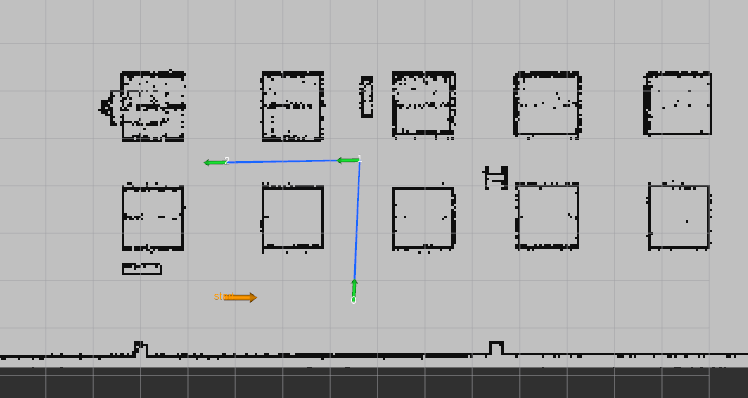
The route used in this demo is on Nav2’s depot map: three waypoints, about 9 m of walking, with a 90 degree turn at the first two.
format_version: 1
name: 2026-10-20_09-57-23
recorded_at: '2026-10-20T00:58:12+00:00'
ros_distro: jazzy
frame_id: map
map:
  file: src/nav2_demo/maps/depot.yaml
  sha256: 8cd5c8d2cbeaf406d6d5312958cd70b64764726e4acd08ec57b9b5348f2a4544
initial_pose: {x: 9.7662, y: -6.3585, yaw: 0.0}
waypoints:
  - {x: 12.4948, y: -6.4473, yaw: 1.5278}
  - {x: 12.6235, y: -3.4588, yaw: -3.1244}
  - {x: 9.8225, y: -3.507, yaw: -3.1244}
Writing the test
The test file test_route.py drives the route once, in a module-scoped pytest fixture, which:
- Loads the route recorded last with
load_route(). - Builds the world from the route’s map using
map_to_world(), which extrudes the 2D map into a 3D scene. The world is made fresh each run and uploaded with it. - Starts the simulator with the Lite3 spawned at the route’s start pose, using
route_launch_args()to turn the pose into the simulator’s--setoverrides. Two cameras record videos: a chase camera and an overhead view. - Launches the locomotion controller and Nav2 on the route’s map, once the simulator clock is ticking. Nav2 starts once the robot is standing.
- Drives the route with
follow_route(), sending the waypoints to Nav2 and reporting whether each was reached, how close the robot got, and how many recoveries (if any) it needed. - Creates data for upload, pass or fail: the odom trace as CSV, three charts and
metrics.json.
Five tests check against RouteResult using the navigation toolkit’s assertion helpers:
def test_route_completed(run):
    try:
        assert_route_completed(run.result)
    except AssertionError as error:
        pytest.fail(f'{error}\n--- nav log ---\n{run.harness.control_log_tail(40)}')


def test_each_waypoint_reached(run):
    assert_each_waypoint_reached(run.result, tolerance_m=WAYPOINT_TOLERANCE_M)  # 0.5 m


def test_final_pose(run):
    assert_final_pose(run.result, max_pos_error_m=MAX_FINAL_ERROR_M)  # 0.5 m


def test_min_clearance(run):
    assert_min_clearance(run.result, MIN_CLEARANCE_M)  # 0.2 m from the lidar, roughly the body's half width


def test_max_recoveries(run):
    assert_max_recoveries(run.result, MAX_RECOVERIES)  # 2
The artefacts.yaml file
project: artefacts-demos/lite3-navigation-demo
version: 0.1.0

jobs:
  test-nav2-route:
    type: test
    timeout: 15 # minutes
    runtime:
      framework: other
      simulator: newton

    scenarios:
      defaults:
        metrics: metrics.json
        params:
          headless: false  # false shows the Newton viewer
          rviz: true  # true also opens Nav2's RViz view
          linear_vel: [0.2, 0.3, 0.4]  # m/s, one run per value (velocity_smoother caps at 0.4)
      settings:
        - name: nav2_route
          pytest_file: src/nav2_demo/test/test_route.py
Key points from above:
- The test runs three times, once per value of
linear_vel, which sets the speed Nav2’sFollowPathcontroller asks for. metrics.jsonis uploaded and displayed in the Artefacts dashboard.pytest_filepoints Artefacts to the test file.
For more details see scenarios configuration.
Results
The job runs the scenario three times, once per linear_vel, and all can be seen passing in the below screenshot. The chart at the top plots duration_s across each run: the Lite3 walks the route in about 52 s at 0.2 m/s, 40 s at 0.3 m/s and 32 s at 0.4 m/s.
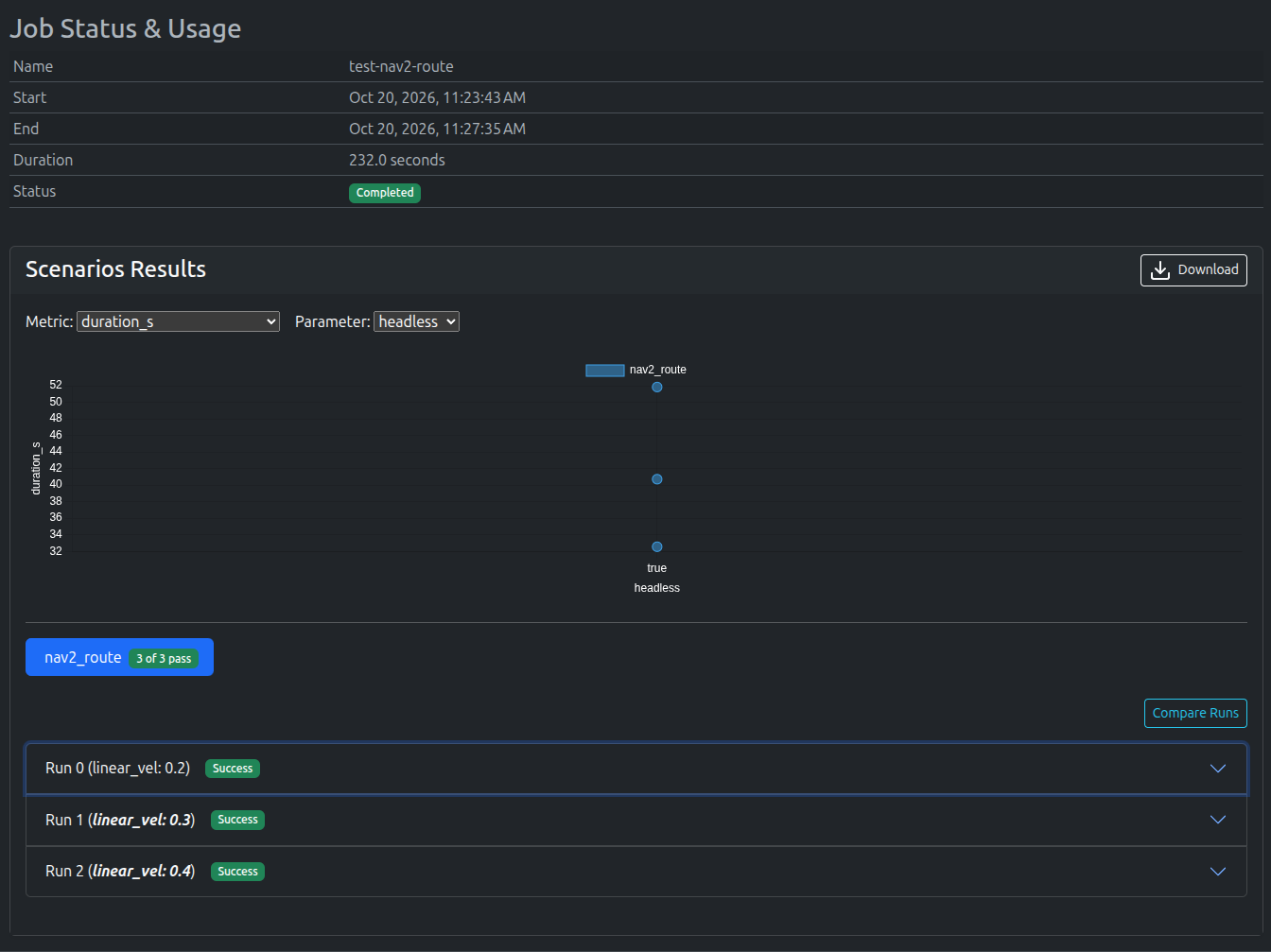
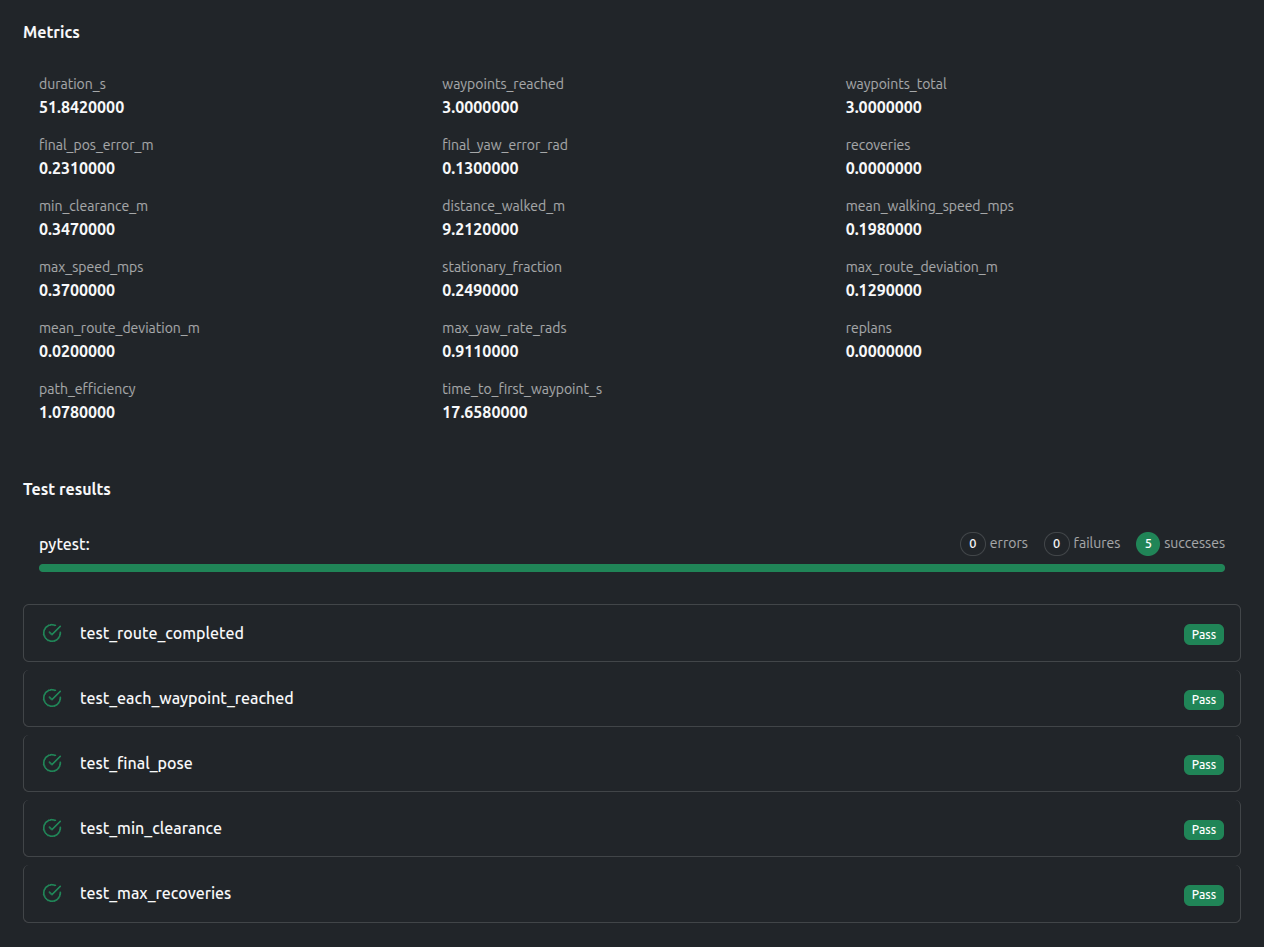
Expanding a run shows its metrics and the five test results side by side, and Compare Runs puts the three speeds next to each other. At 0.2 m/s, the Lite3 reaches all three waypoints, ends 0.23 m from the end waypoint, staying at least 0.35 m away from the nearest wall:
Route completion
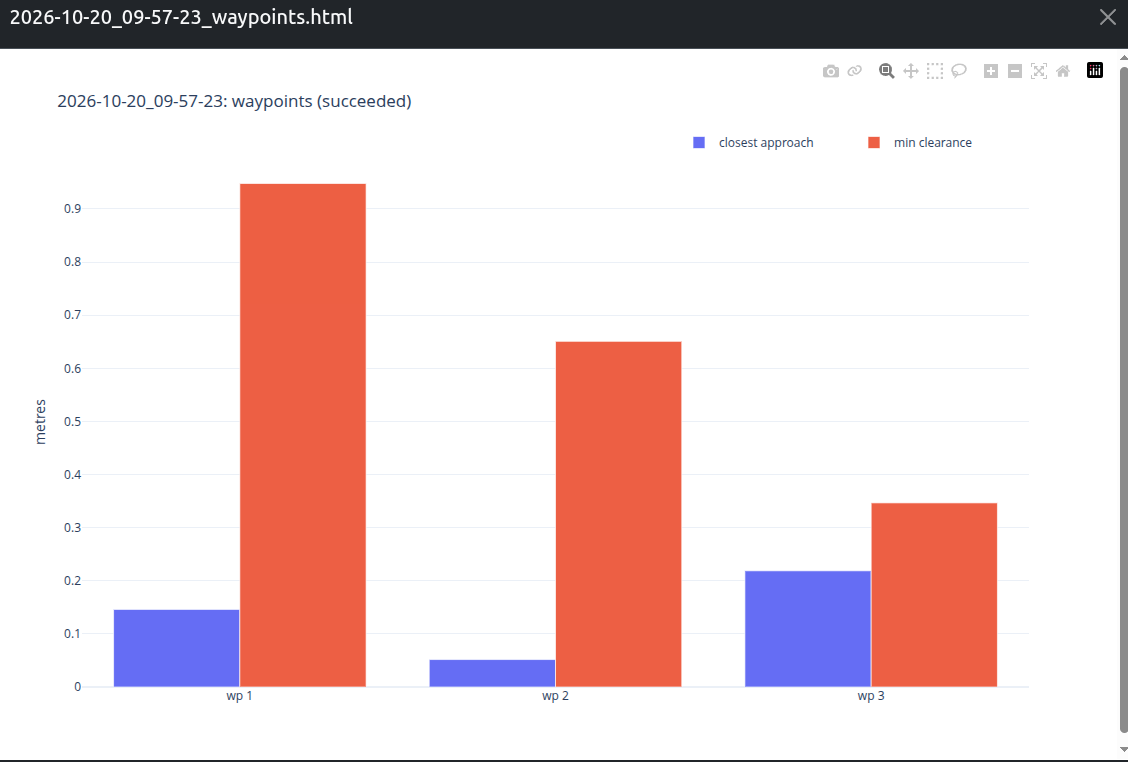
The per-waypoint chart shows how close the robot got to each waypoint and the minimum clearance to the walls on the way there:
Path on the map
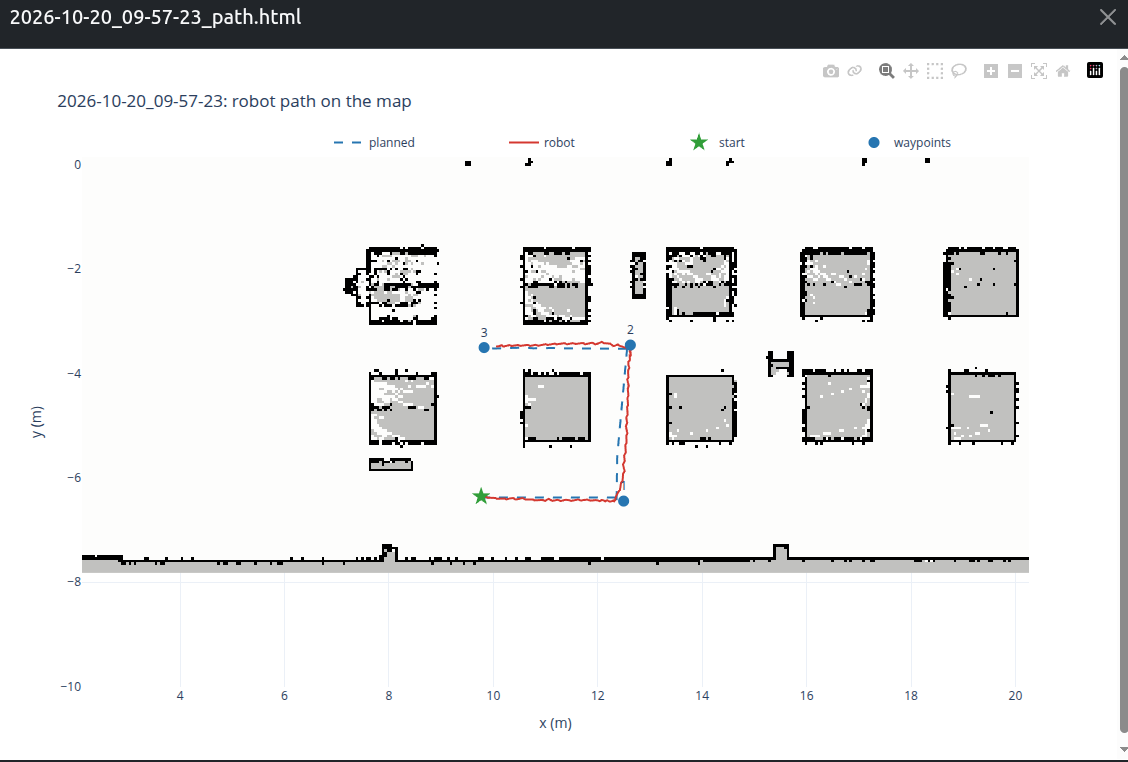
The path chart overlays the robot’s odom trace and Nav2’s plans on the map, showing the route vs actual path taken:
Videos
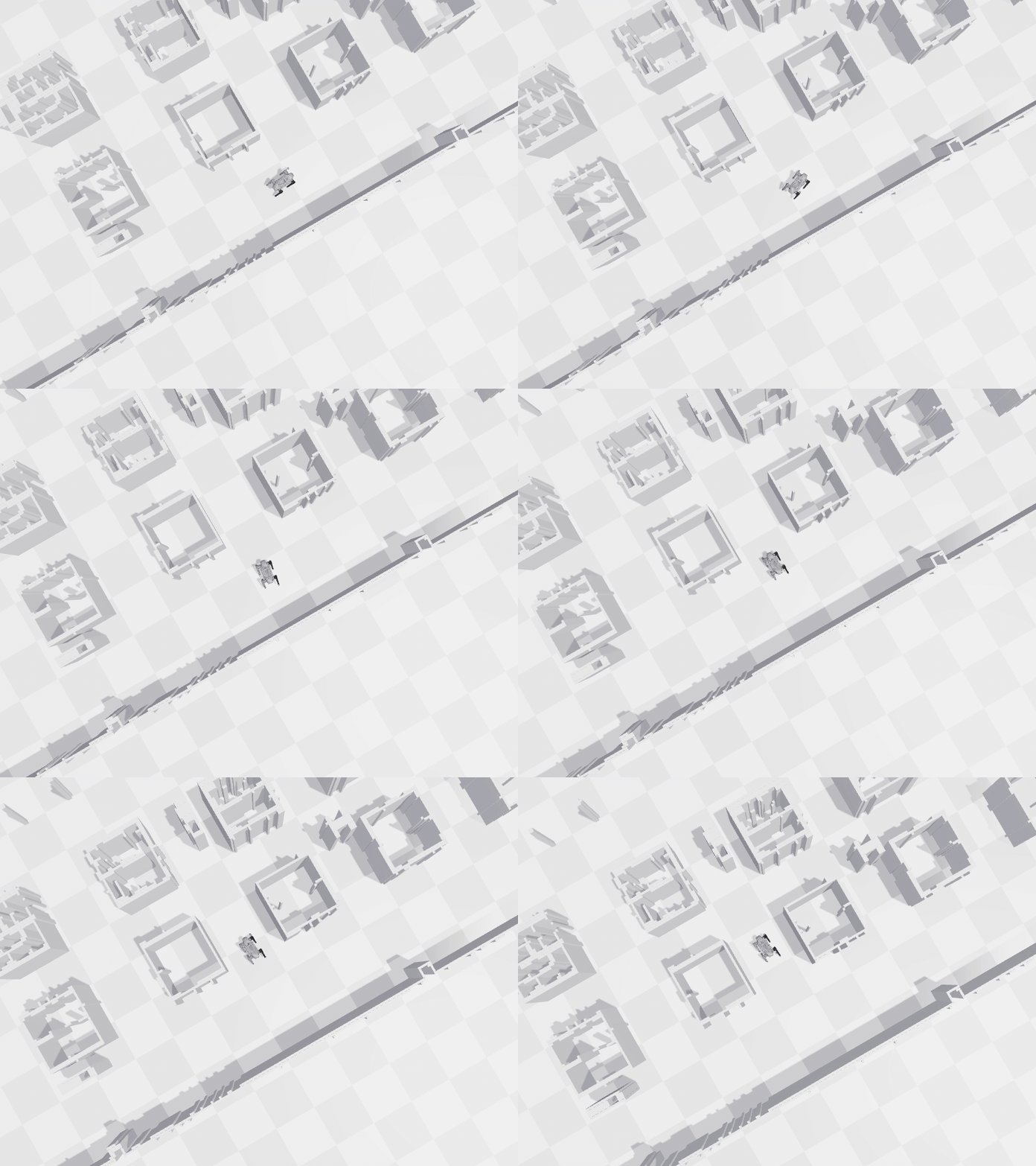
The simulator records two videos of each run, a chase camera and an overhead view:
| Chase camera | Overhead |
|---|---|
|
 |
Data available after the tests
Everything the test writes into the run’s upload directory (ARTEFACTS_SCENARIO_UPLOAD_DIR) is uploaded to the Artefacts dashboard.
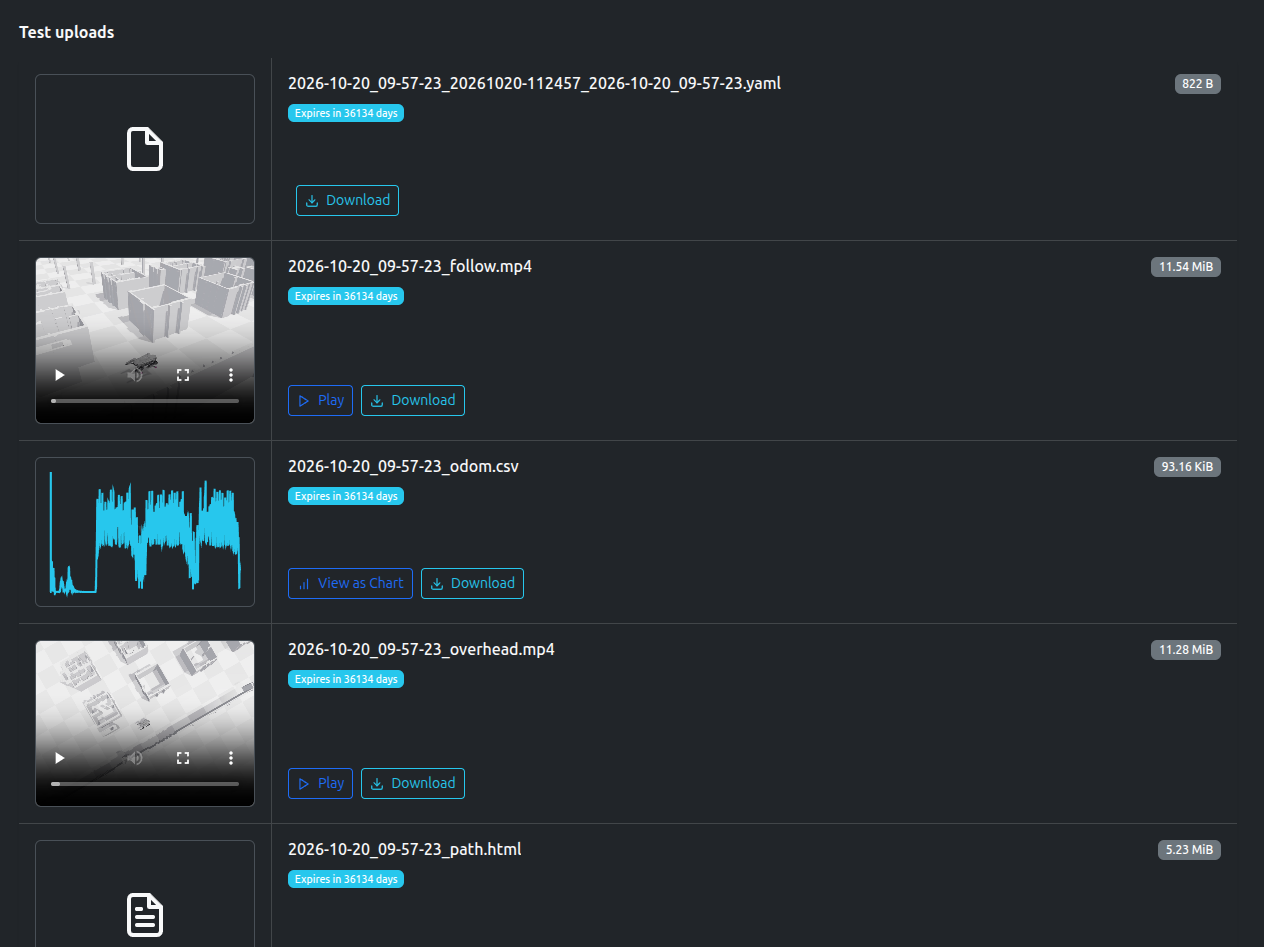
- The world (MJCF) extruded from the map, and the simulator config
- The route result as YAML
- Two videos: chase camera and overhead
- The odom trace as CSV
- Charts in HTML: path on the map, speed over time, per-waypoint figures
- Metrics in
jsonformat - Logs from the simulator and the Nav2 launch
Artefacts Toolkit Helpers
For this project, we used the following helpers from the Artefacts Toolkit:
get_artefacts_params: to readheadless,rvizandlinear_velfor this scenarioartefacts-route record: to record the route in RVizload_route: to load the route recorded lastmap_to_world: to extrude the simulator world from the route’s maproute_launch_args: to spawn the robot at the route’s start posefollow_route: to send the route to Nav2 and collect the resultassert_route_completedand the otherassert_*helpers: ready-to-use checks on the route result