OpenRMF is a framework for multi robot interoperability in large buildings. One common configuration task in OpenRMF is to set up Places and navigation lanes for the robots in a building.
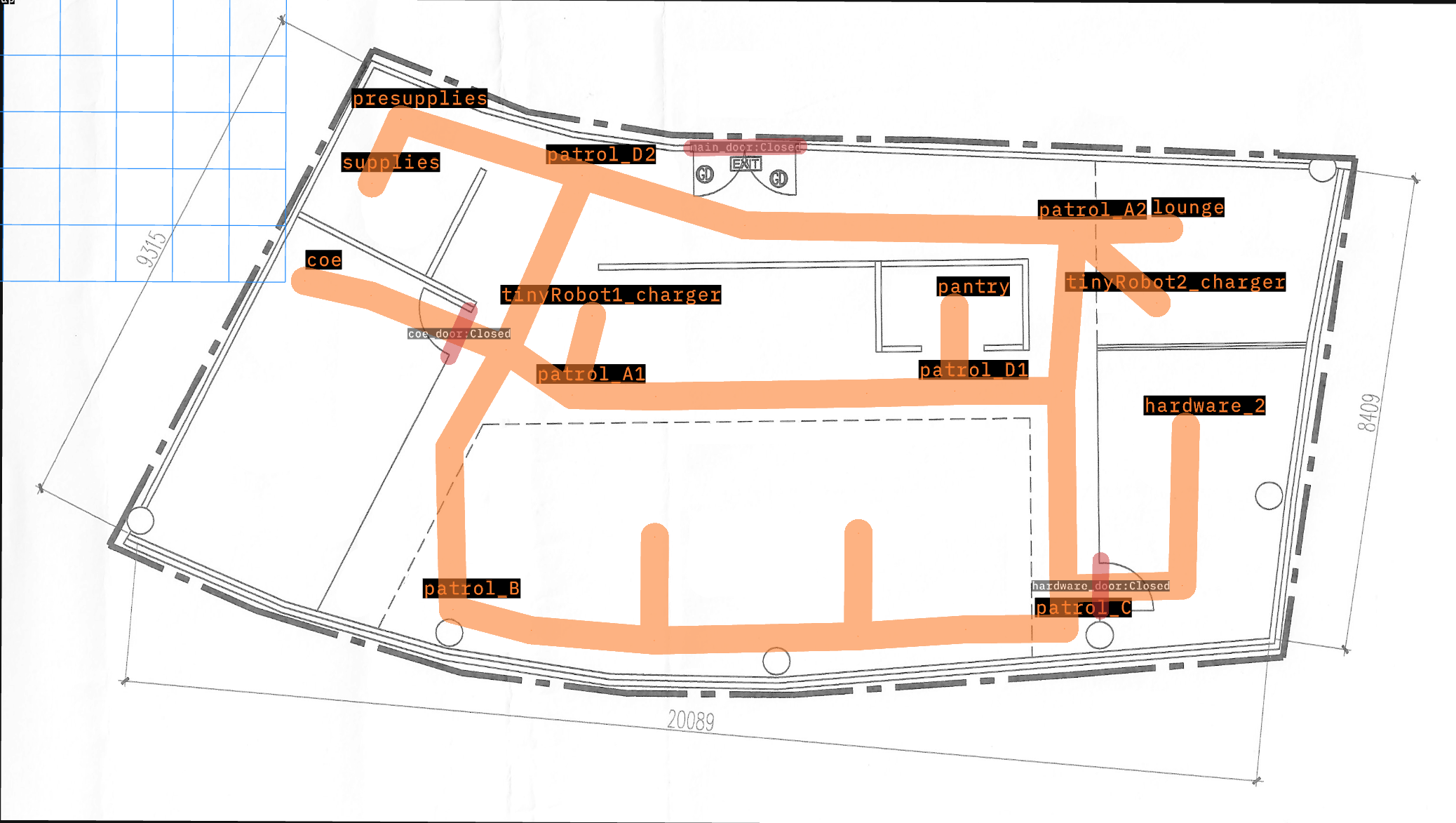
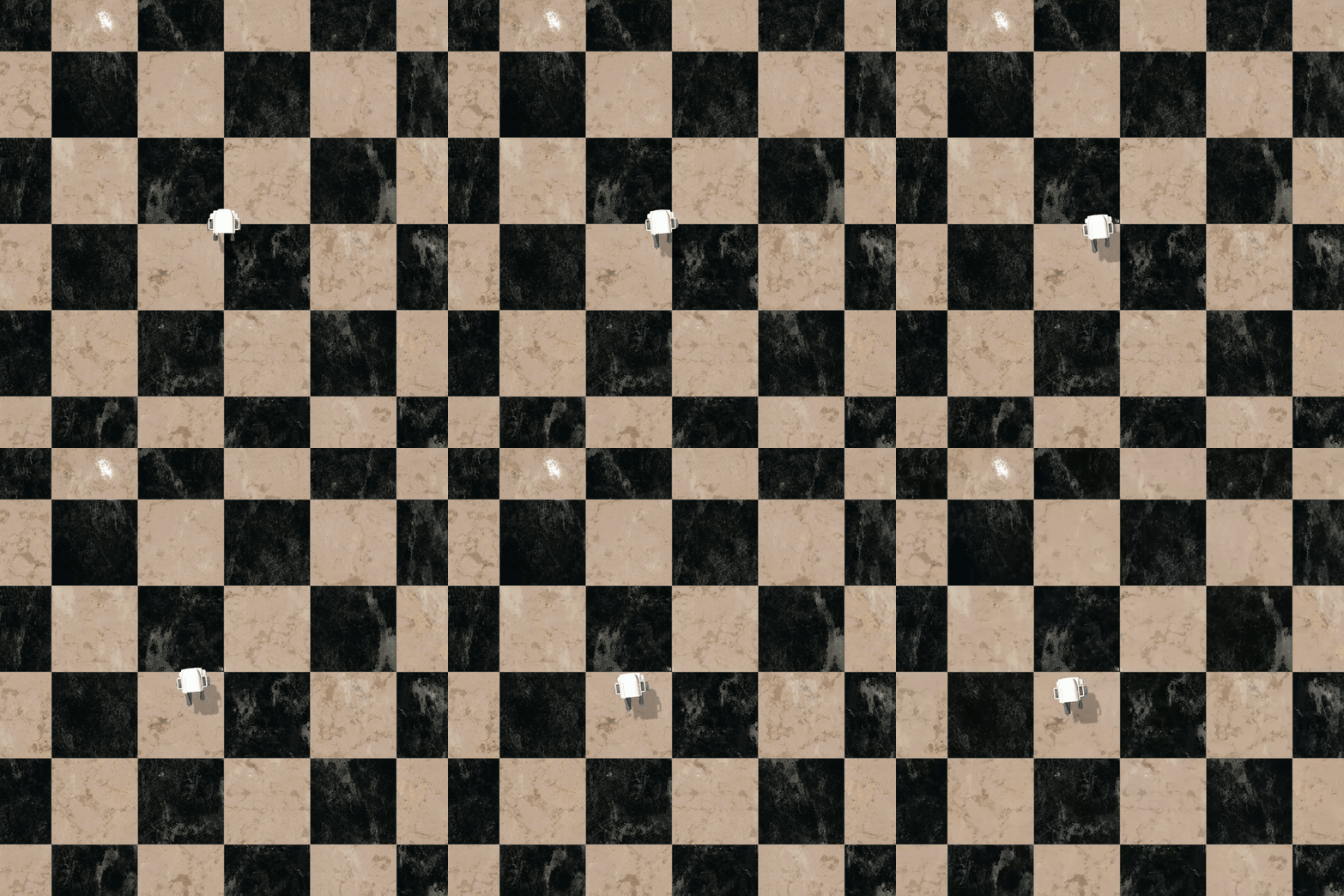
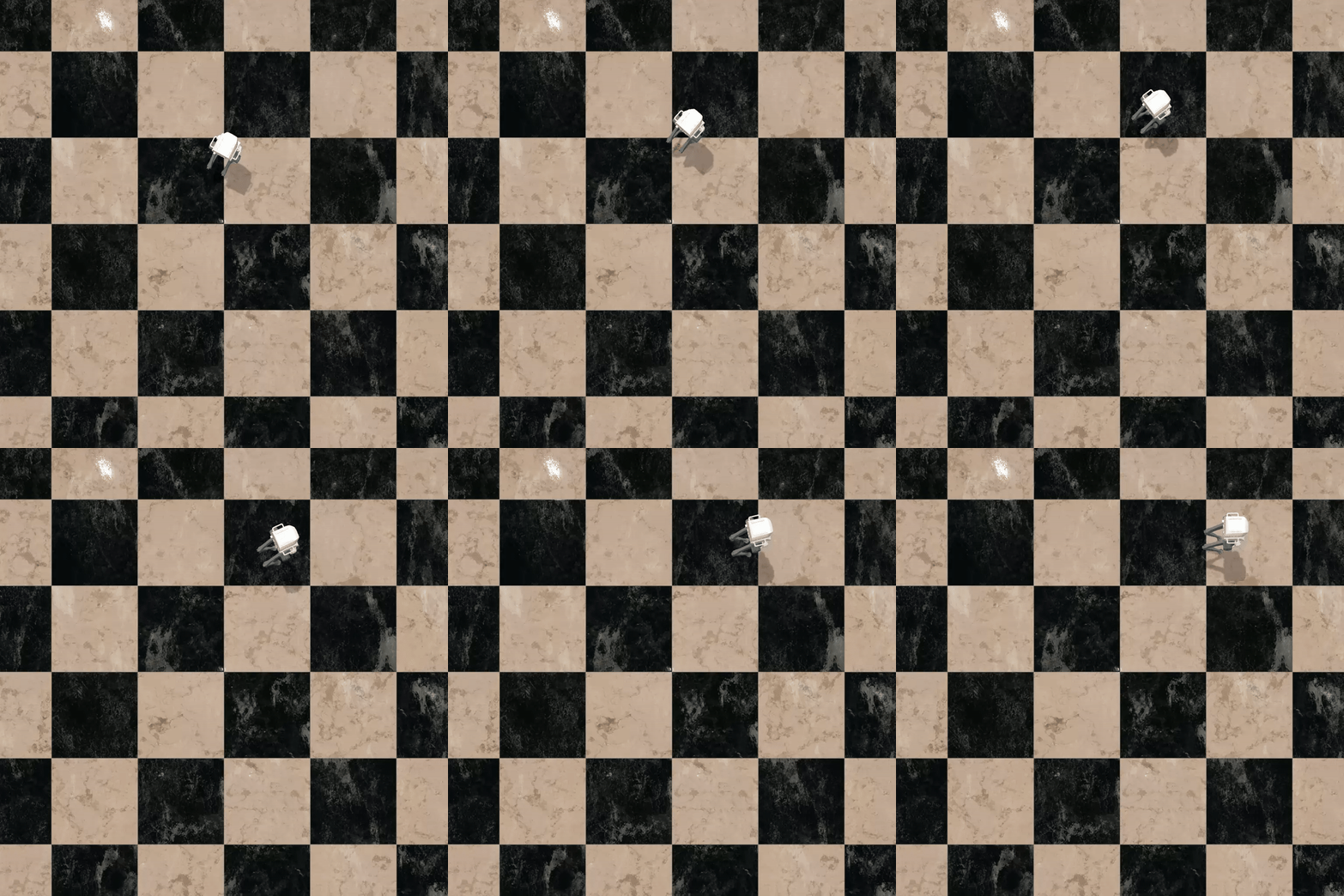
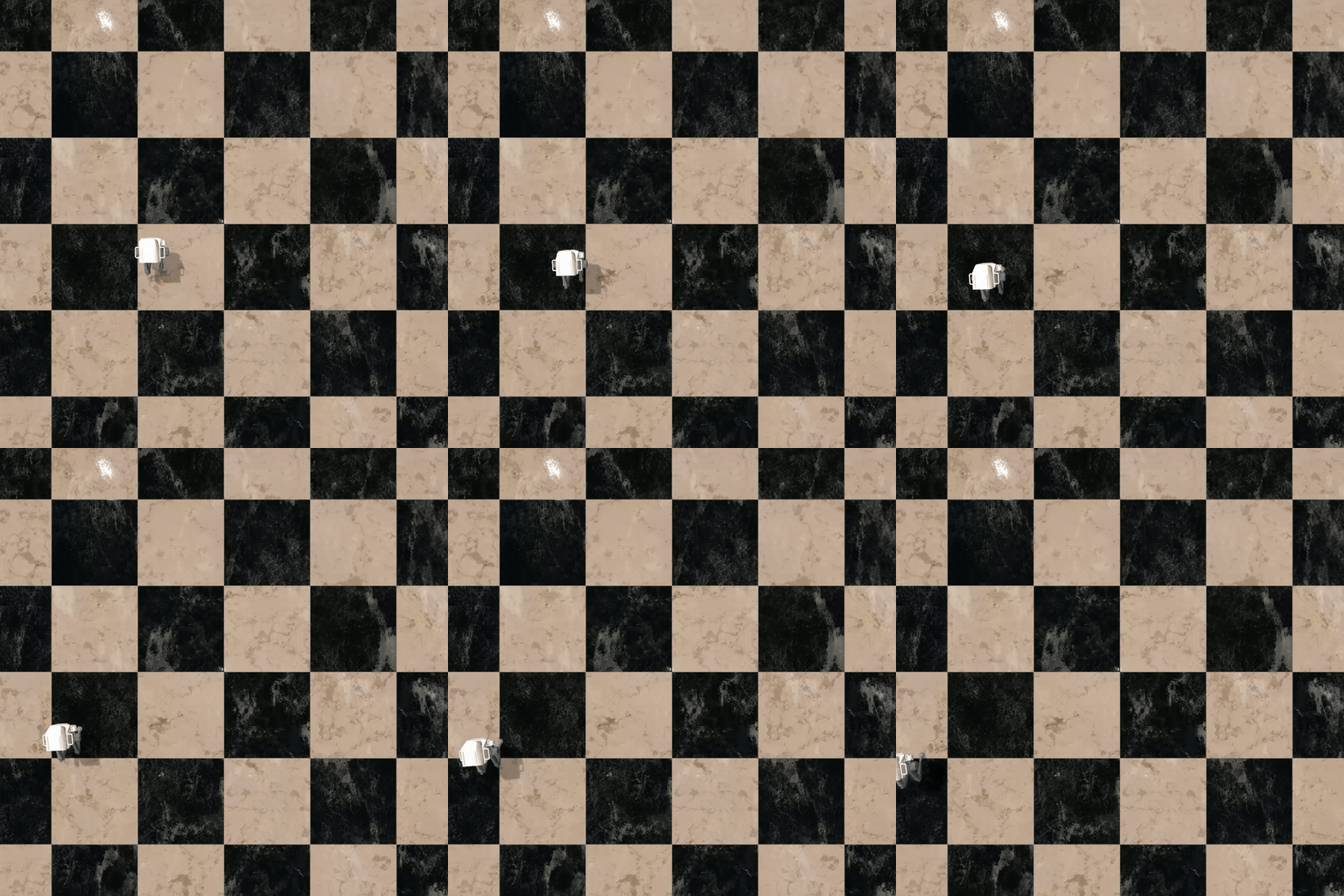
As shown below, this map has 14 waypoints where a robot can go. It also comes with 2 “tinyRobot"s starting on their respective chargers.
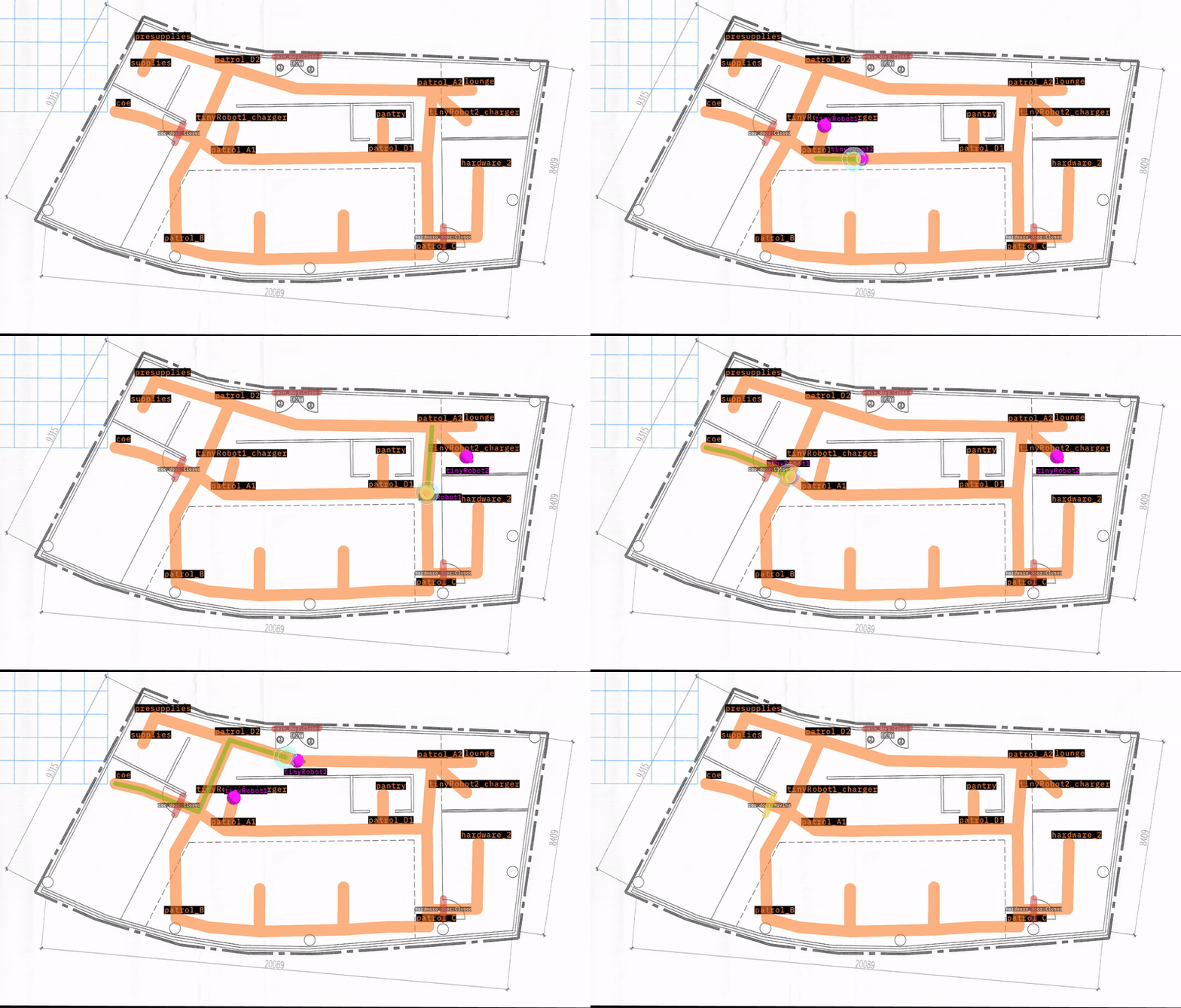
The goal of this test demo is to send every robot to every waypoint, and assert that it arrives. Failure indicates that a robot is unable to reach a place on the map.
The test is parametrized to run through all robots and waypoints, resetting the simulation between each run.
Quick analysis
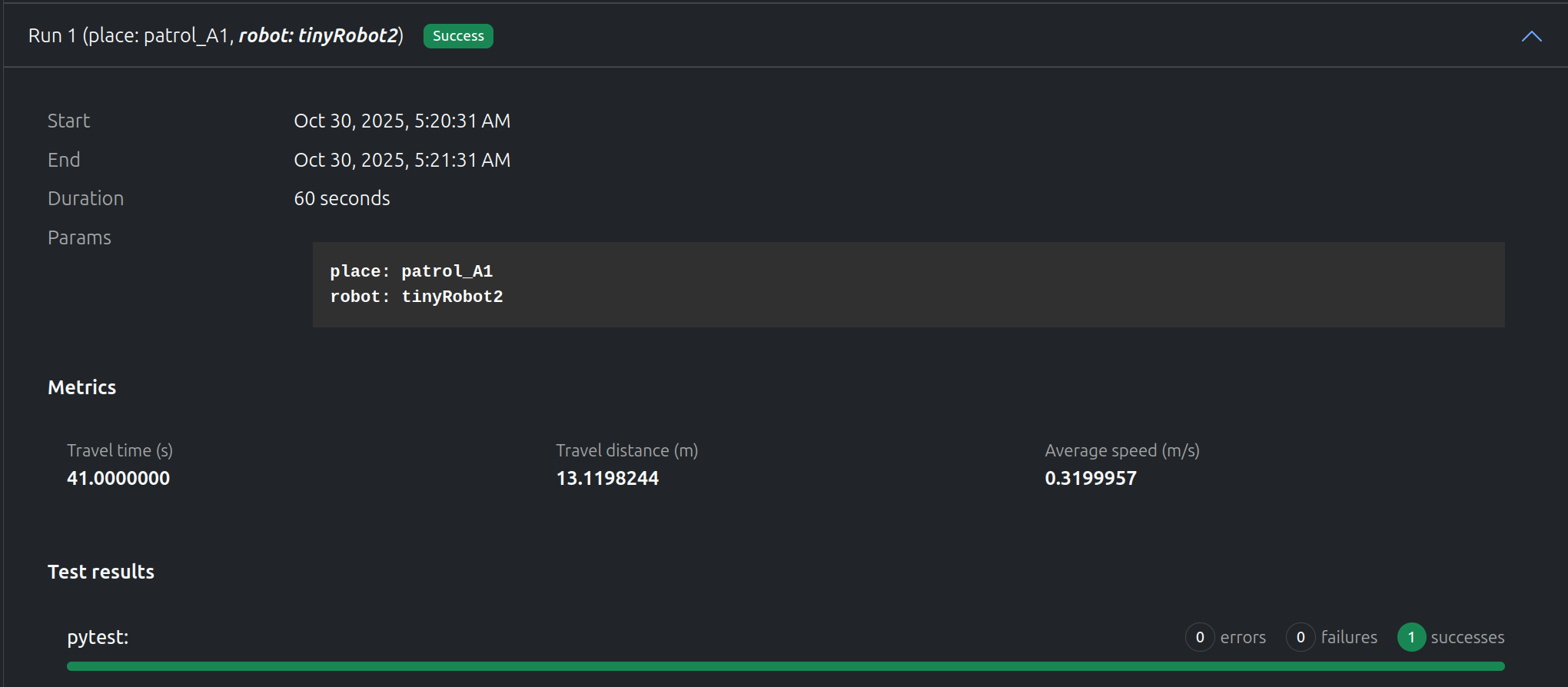
“tinyRobot2” going to “patrol_A1”
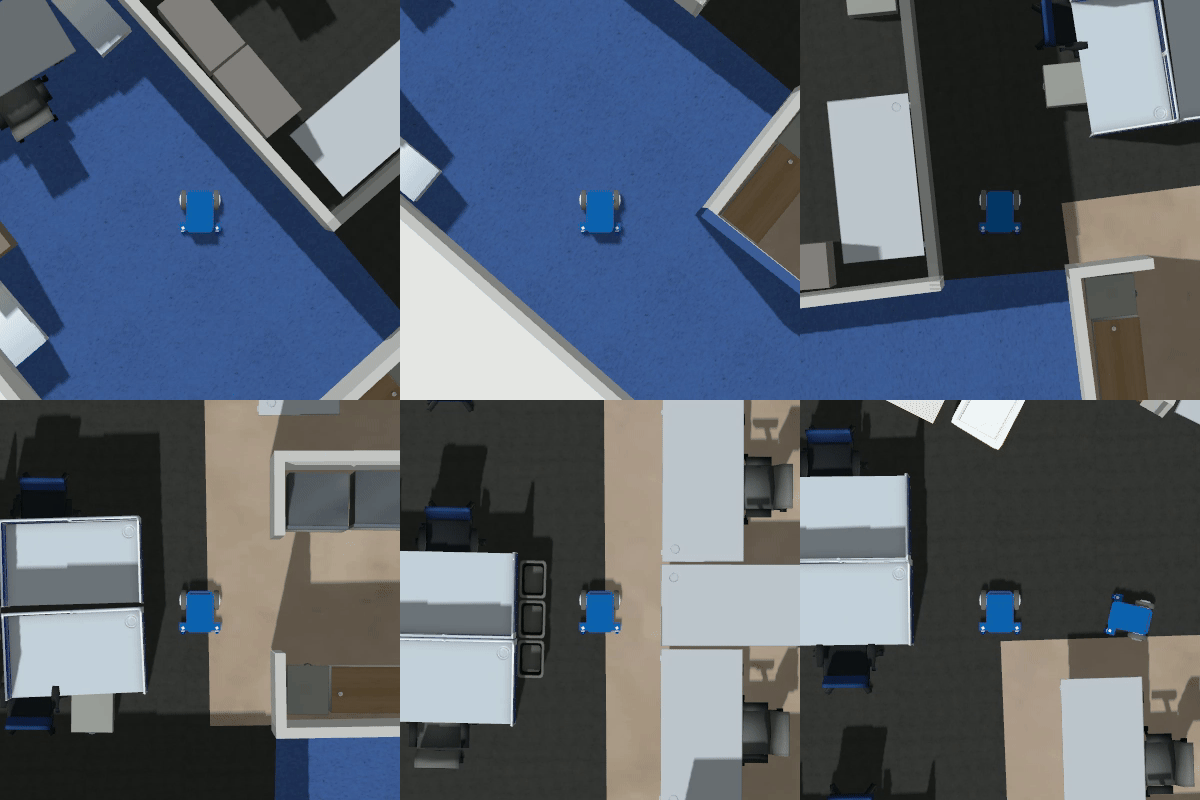
“tinyRobot2” successfully reached “patrol_A1” in ~40s. The video offers additional information on the how well the test executed.
“tinyRobot1” going to “patrol_B”
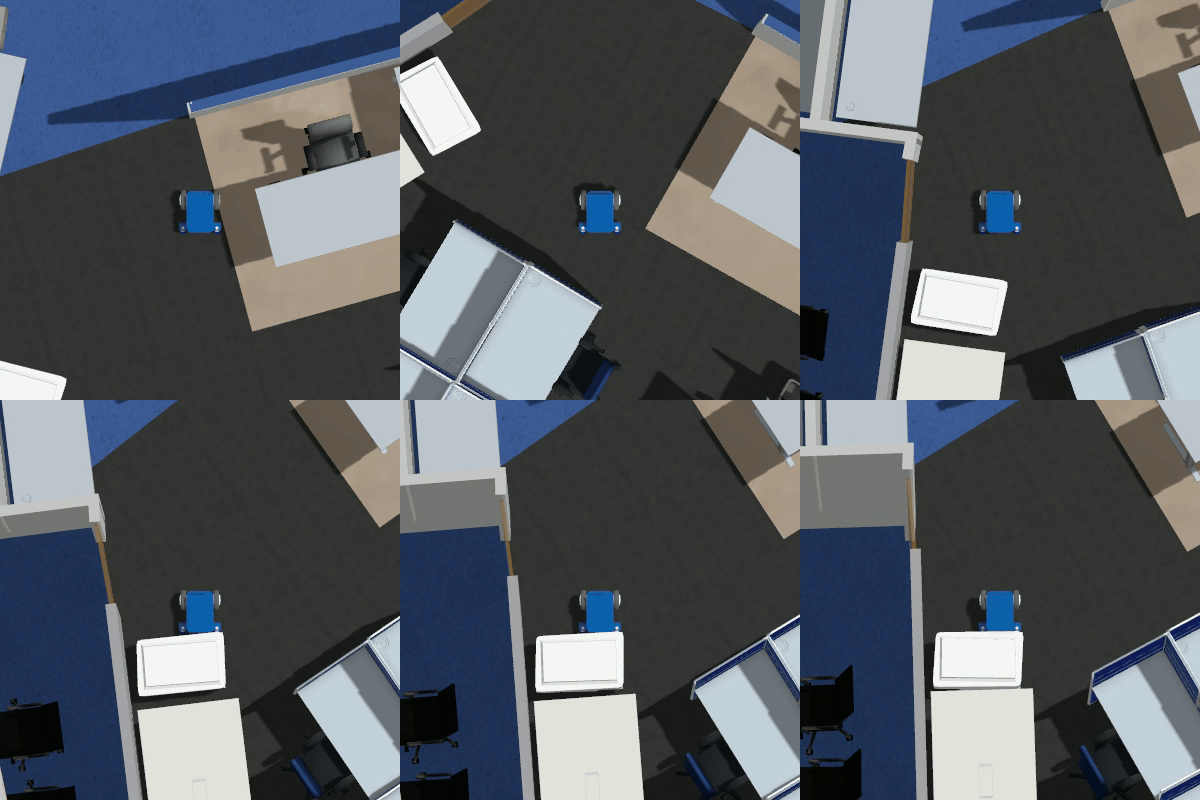
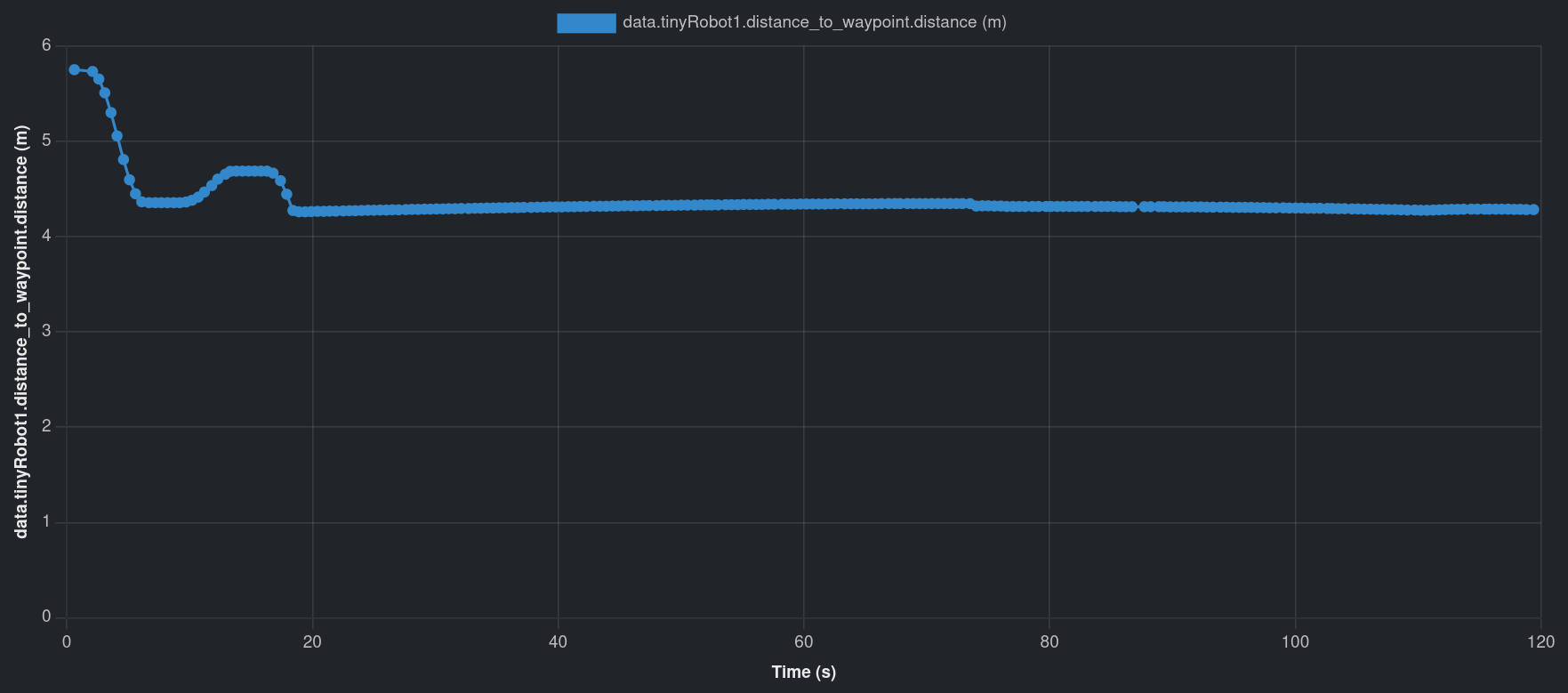
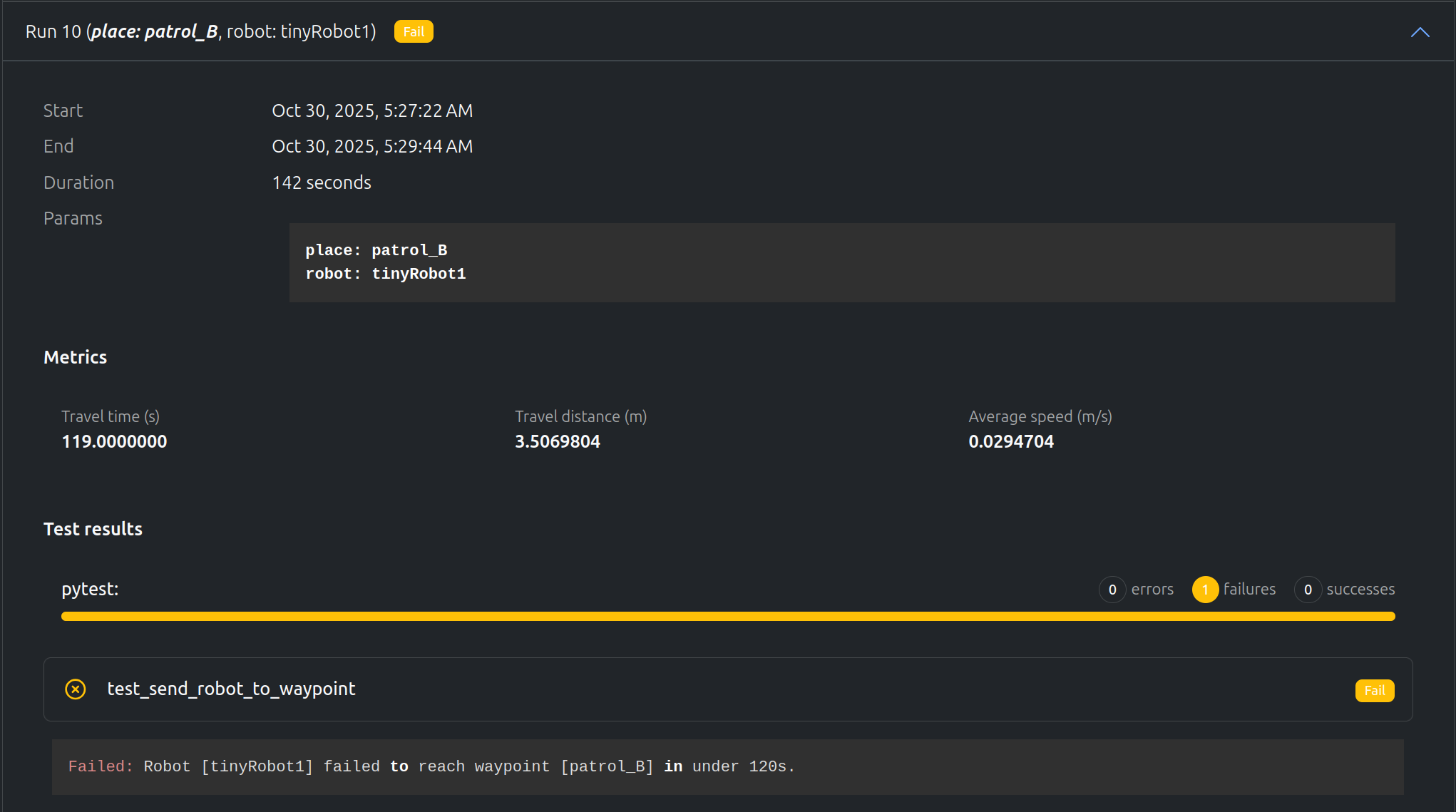
However, “tinyRobot1” could not reach “patrol_B” before the timeout of 120 s. Using the video, we notice that there is a trashcan on the way, so the robot gets stuck on it. The distance graph also points towards the robot being stuck somewhere.
Data available after the tests
The tests record a few metrics:
Time to reach the goal (simtime)
Total distance traveled
Average speed
The tests record multiple data:
ROSbag.
Video of the active robot in Gazebo.
Graph of:
The XY position.
The distance to the goal.
The distance traveled over time.
Custom data dump from python to record data not available in the ROSbag.
Debug log from the tests files.
(Optional) stdout of the simulation and OpenRMF terminal.
We will use two RL policies for the test, a “baseline” (which we would expect to successfully reach all waypoints) and a “stumbling” (which we do not).
The first checks whether the environment correctly loaded in.
Scene Loading Test
@pytest.mark.clock_timeout(50)deftest_receives_scene_info_on_startup(node):"""Test that the node receives scene info on startup."""foreventinnode:ifevent["type"]=="INPUT"andevent["id"]=="scene_info":# Validate scene info messagemsgs.SceneInfo.from_arrow(event["value"])return
The other two tests check whether the robot successfully reached all 4 waypoints in a given environment:
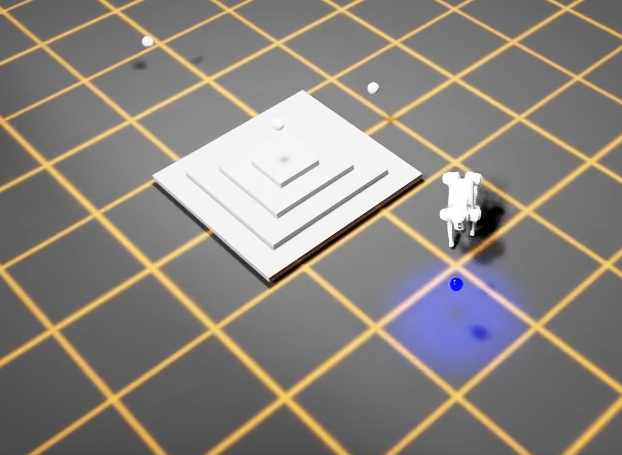
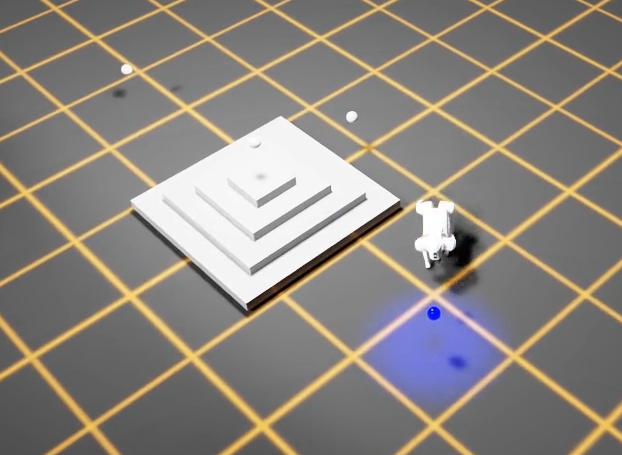
Variable Height Steps Test
For the pyramid with varying heights
@pytest.mark.parametrize("difficulty",[0.1,0.7,1.1])@pytest.mark.clock_timeout(30)deftest_completes_waypoint_mission_with_variable_height_steps(node,difficulty:float,metrics:dict):"""Test that the waypoint mission completes successfully.
The pyramid steps height is configured via difficulty.
"""run_waypoint_mission_test(node,scene="generated_pyramid",difficulty=difficulty,metrics=metrics)
Note here we use pytest’s parametrize feature to set the differing heights
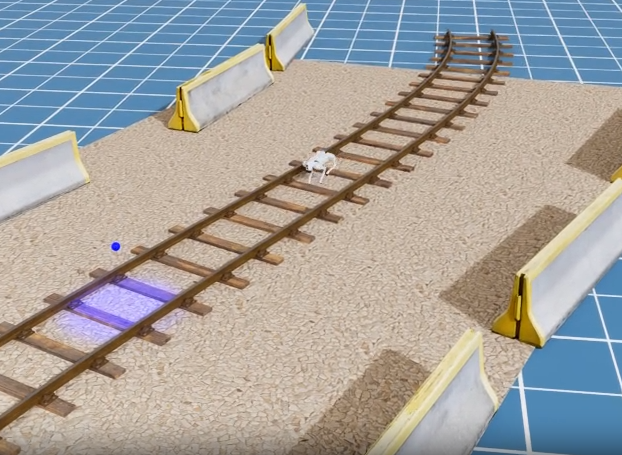
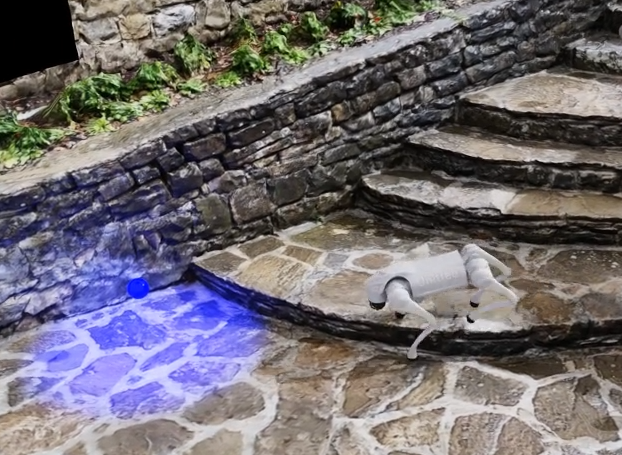
Photo-Realistic Environments Test
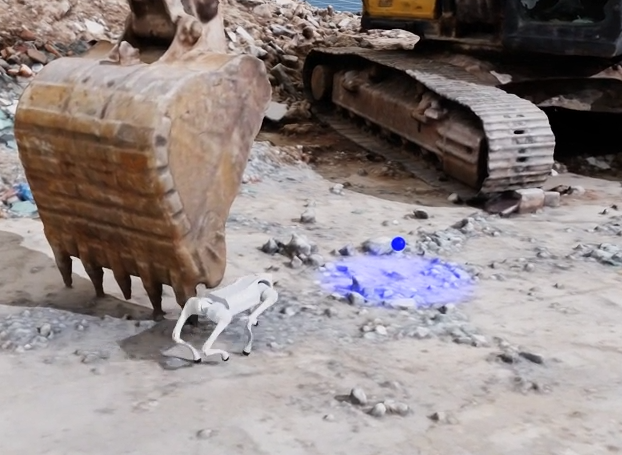
For the 3 “realistic” environments
@pytest.mark.parametrize("scene",["rail_blocks","stone_stairs","excavator"])@pytest.mark.clock_timeout(30)deftest_completes_waypoint_mission_in_photo_realistic_env(node,scene:str,metrics:dict):"""Test that the waypoint mission completes successfully."""run_waypoint_mission_test(node,scene,difficulty=1.0,metrics=metrics)
Note here we also use pytest’s parametrize feature to run the test against the 3 different environments.
Core Test Logic
The run_waypoint_mission_test() function that both tests call upon handles the core waypoint navigation logic:
Loads the scene - Sends a load_scene message with the specified environment and difficulty level (e.g., pyramid step height)
Tracks waypoints - Maintains a list of waypoint frames and monitors which one the robot is currently targeting
Monitors robot pose - Listens for robot_pose events and calculates the distance to the current target waypoint using a Transforms helper
Detects waypoint completion - When the robot gets within 0.6m of a waypoint, it advances to the next one
Detects stuck conditions - Uses a StuckDetector to fail the test if the robot hasn’t made progress for 5 seconds
Records metrics - Captures the total completion time in seconds and stores it a metrics.json file, which will be displayed in the Artefacts Dashboard.
The test passes when all waypoints are reached, and fails if the robot gets stuck or times out.
The artefacts.yaml File
The artefacts.yaml sets up the test and parametrizes as follows:
project:artefacts-demos/go2-demoversion:0.1.0jobs:waypoint_missions:type:testtimeout:20# minutesruntime:framework:othersimulator:isaac_simscenarios:settings:- name:pose_based_waypoint_mission_testparams:policy:- baseline- stumblingmetrics:metrics.jsonrun:"uv run dataflow --test-waypoint-poses"
Key points from above:
The test(s) will run twice based on the params section of the artefacts.yaml file. Once using the “baseline” policy, the other using the “stumbling” policy.
The metrics collected will be saved to metrics.json (as defined in metrics:), to then be uploaded to the Artefacts Dashboard
We use the run: key to tell artefacts how to launch the tests, as although the test framework is pytest, it will be ran through the dora-rs framework. For more details on ‘run’ see scenarios configuration
Results
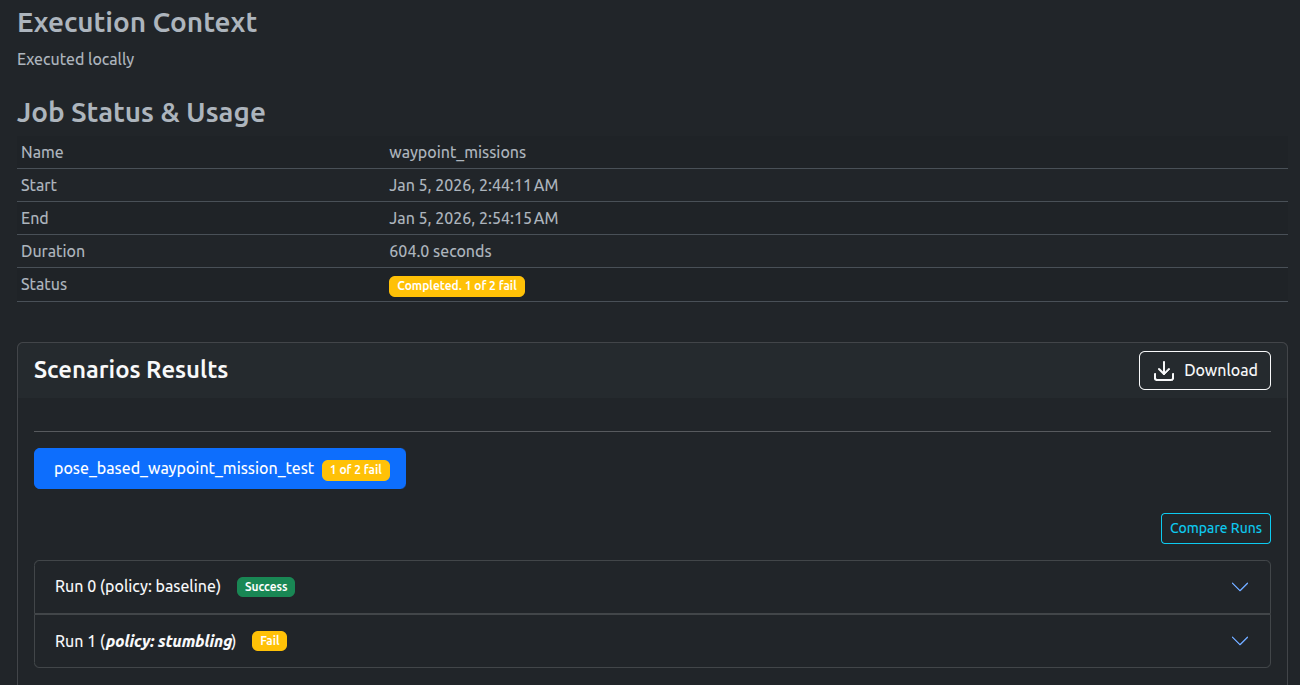
As expected, the Baseline policy passed, while the Stumbling policy failed
A video of the successful waypoint missions can be viewed below:
Baseline Policy
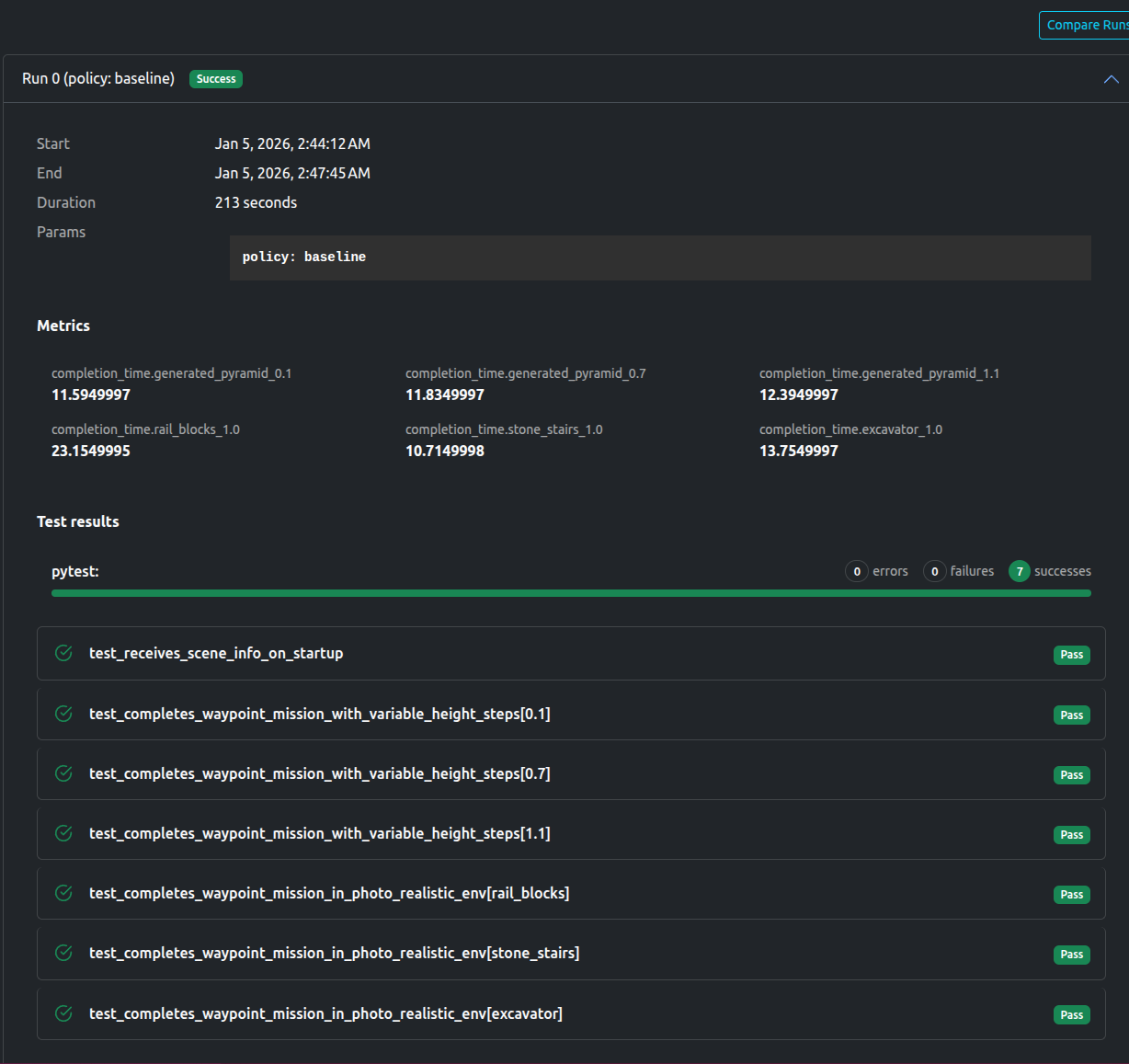
The dashboard shows all tests passed, as well as the aforementioned metrics (completion time) for each environment.
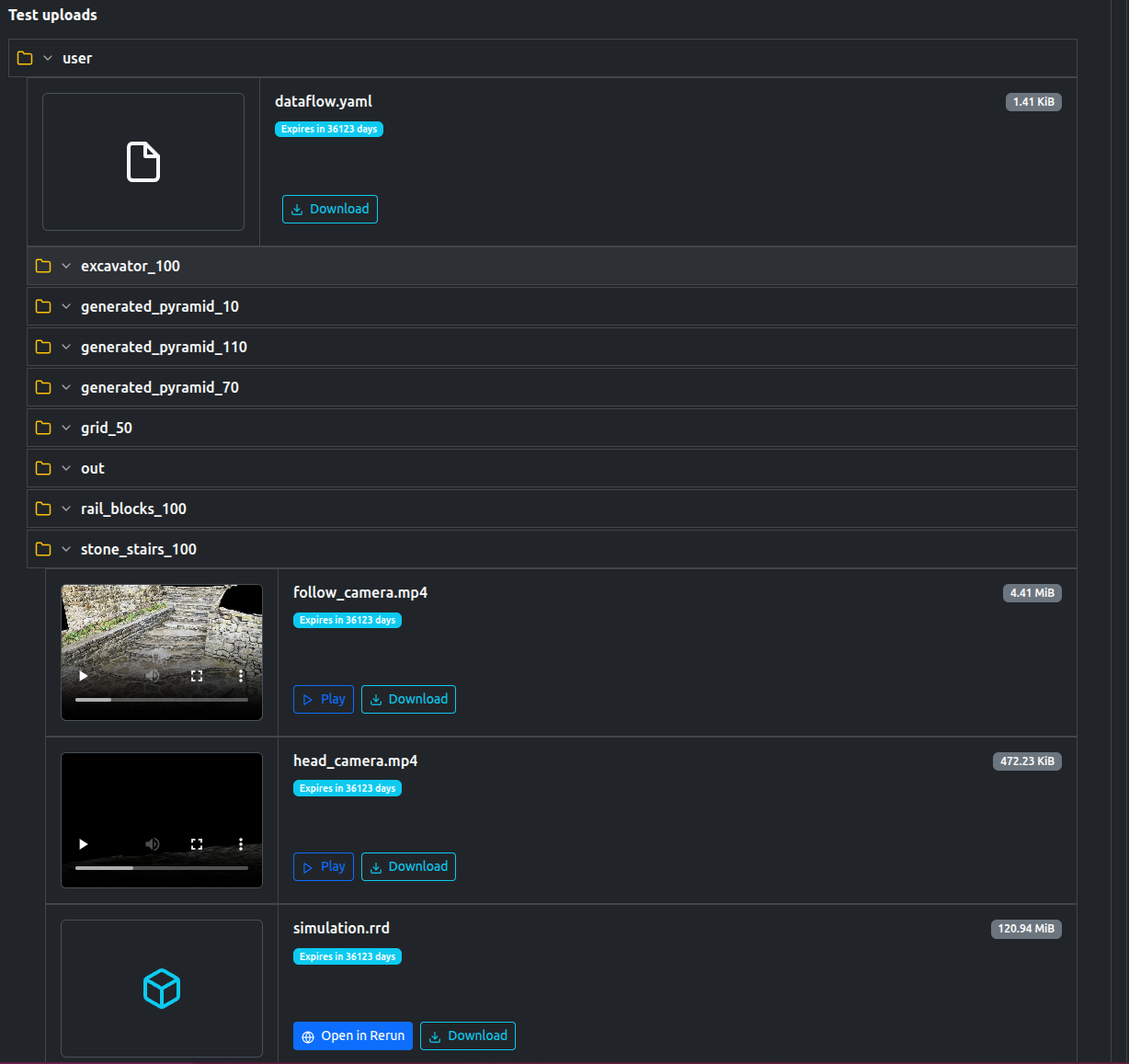
The tests also uploaded a number of artifacts, including videos, logs, as well a rerun file to replay the simulation if desired.
Stumbling Policy
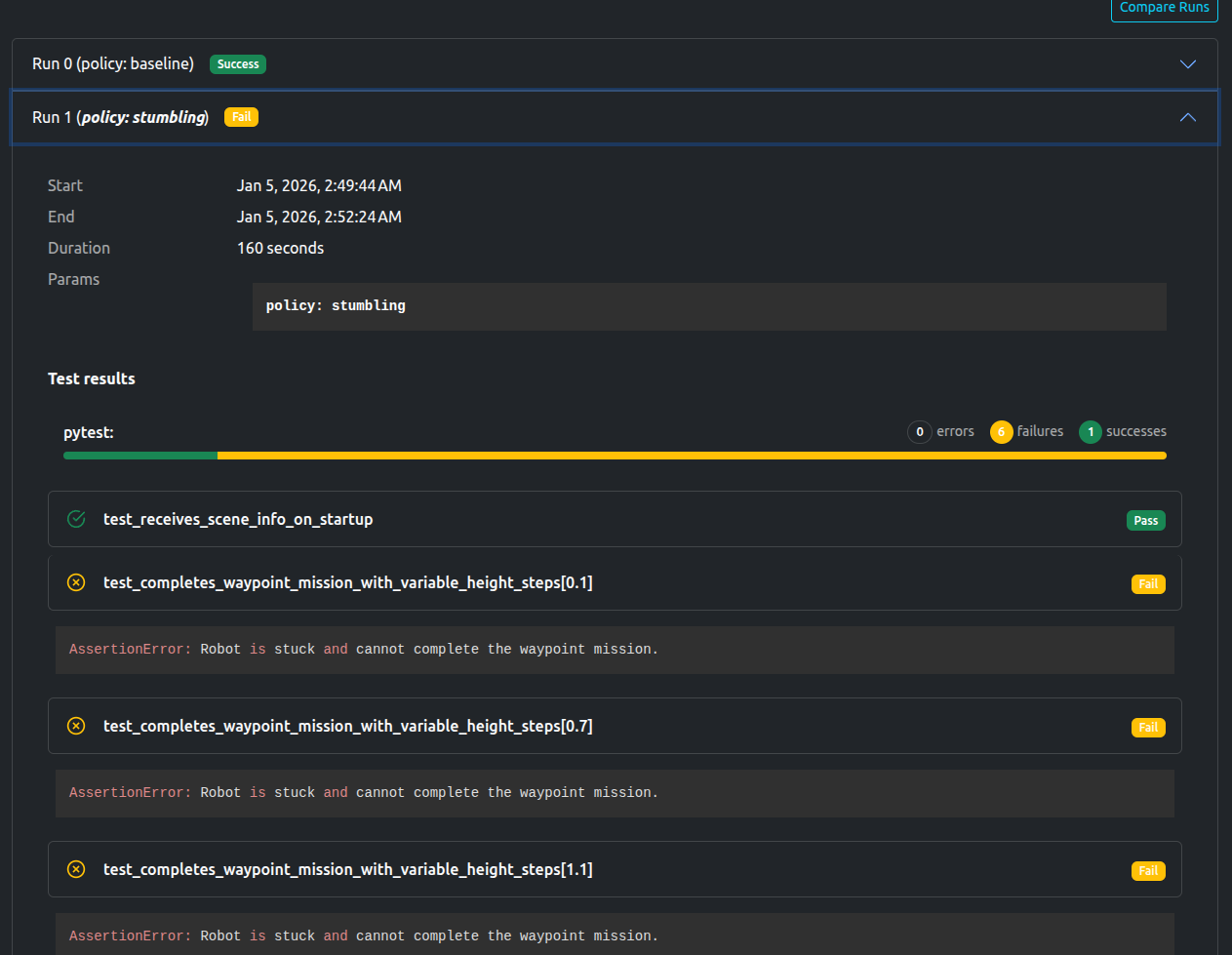
The dashboard shows that only scene loading test passes, with the rest failing. The AssertionError “AssertionError: Robot is stuck and cannot complete the waypoint mission.” is also noted.
You are free to view the final results and associated metrics and uploads here (registration required)
Data available after the tests
Rerun File
Logs
Videos and images of each scene.
Metrics in json format
Artefacts Toolkit Helpers
For this project, we used the following helpers from the Artefacts Toolkit:
The Model Predictive Path Integral (MPPI) is a sampling-based predicitive controller to select optimal trajectories, commonly used in robotics community and well supported by the Nav2 stack.
The core feature of Nav2’s MPPI plugin is its set of objective functions (critics), and can be tuned to achieve a desired behavior for robot planner.
In this demo, we investigate a target behavior where the robot (Locobot) should avoid moving backward. This is prefered by robotic practitioners, and also due to the safety concern in indoor environments, where there can be human or pets, and it’s dangerous for standard robots (i.e: with only front-facing sensors) to move backward without any observation/awareness.
This behavior often occurs due to that, when in sharp turn or a replan asking the robot to turn around (large angular distance), Nav2 MPPI’s Path Angle critic is usually activated and contributes to the scoring. However, it tends to cause the robot to move backward to achieve efficient angular alignment with the planned path.
Initial Idea
Most intuitive solution is to use the Prefer Forward critic, and tune its weight so that its cost contribution is higher than Path Angle critic, to counter backward behavior. However, some questions remain if you tune this manually (i.e: blindly adjusting weights):
How to numerically see these costs in real values? and compare between the two metrics to see which one is higher
How to quickly & easily verify different potential weight values (can be many if uncertain about which critic) along side the result trajectories?
With Artefacts, we support these answers:
Numerical critic costs debugging: this feature is only recently developed for ROS Kilted by Nav2, we migrated its MPPI plugin down to Humble version and integrated into our plotting toolkit.
Parametrized weight values: quickly run these parametrized scenarios in parallel on our cloud infrastructure, and easily view critics costs side-by-side result trajectories, with Artefacts dashboard’s runs comparison.
Parametrizing the Test
The artefacts.yaml sets up the test and parametrizes as follows:
The test is conducted using pytest, and pytest_file points to our test file
Artefacts will collect the files inside the folder defined in output_dirs, and upload to the dashboard.
controller_server/FollowPath.PreferForwardCritic.cost_weight: parametrizes the weight values (obtained after observing the critic costs debugging plot). The syntax here indicates a ROS param, following this format: [NODE]/[PARAM], and can be found in Nav2 parameters .yaml file.
The test will run three times with three weight values: 0.0 (no contribution), 5.0 (medium contribution), 70.0 (high contribution).
Quick analysis
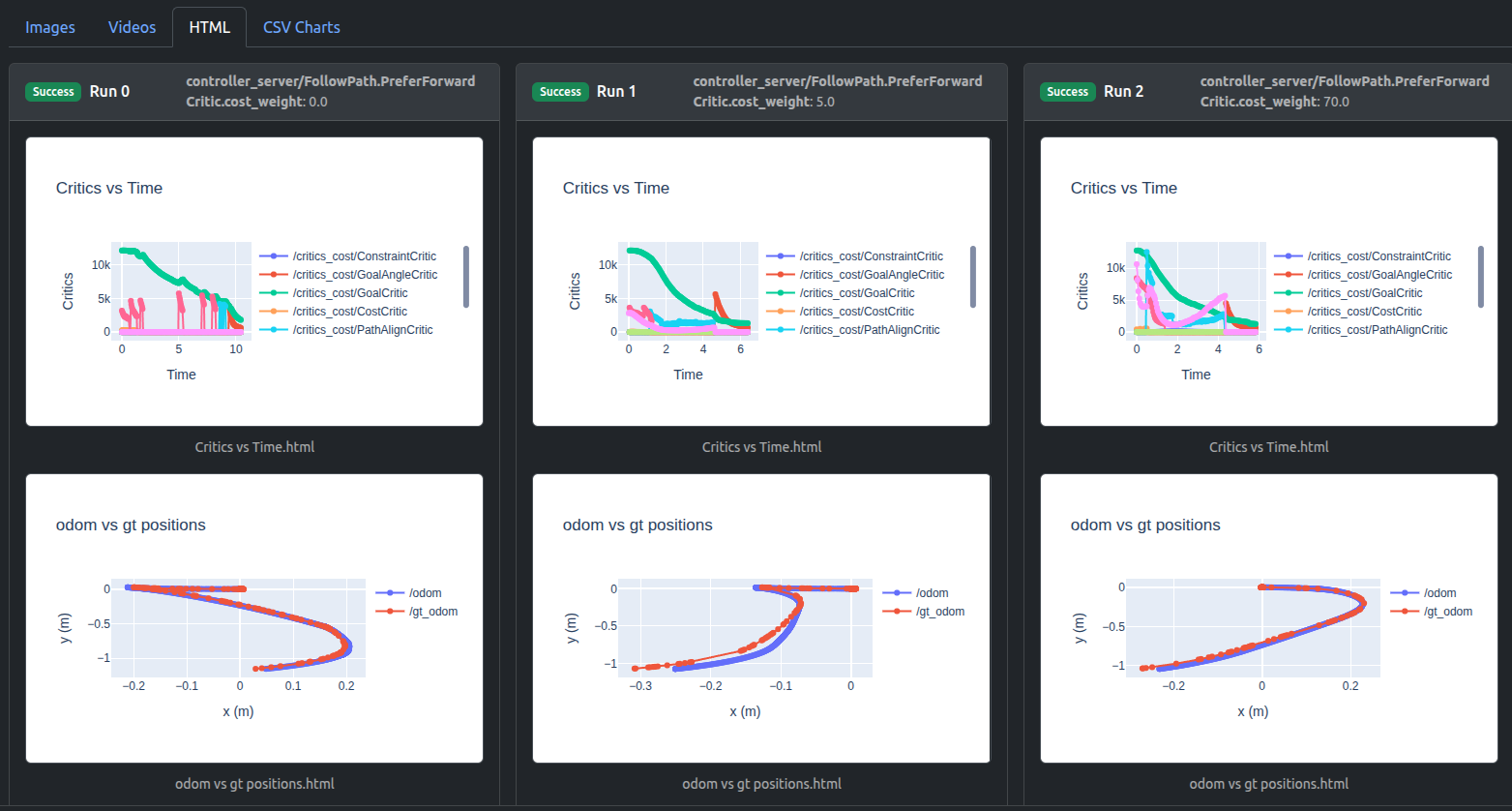
Artefacts dashboard’s runs comparison visualizes critics debugging plot (“Critics vs Time”) and result trajectories plot (“odom vs gt positions”). Here odom is the estimated odometry of robot and can be ignored, we pay attention to gt ground truth positions.
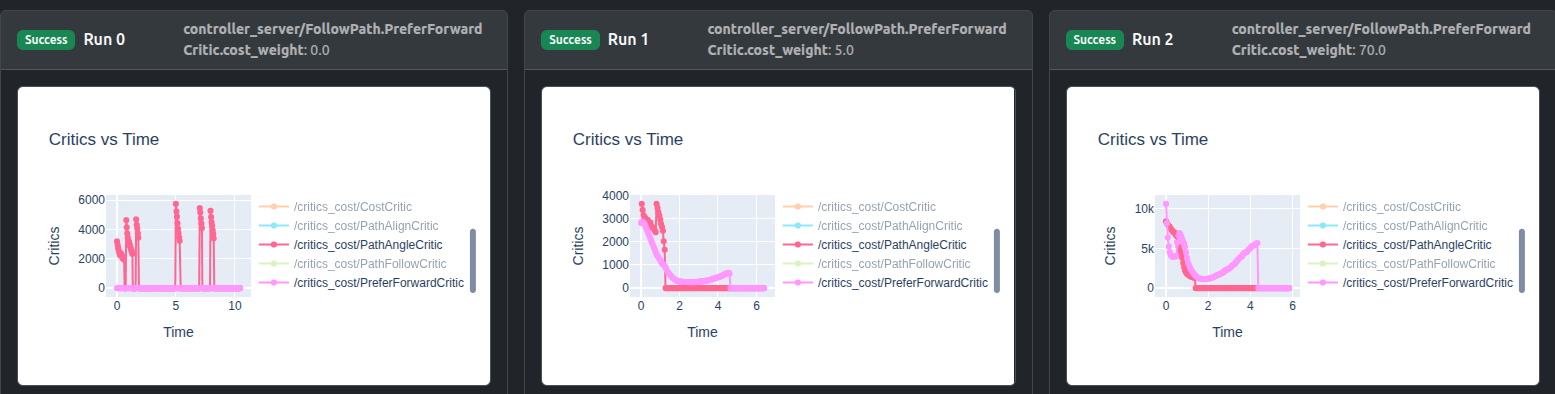
For critics debugging plots, you can isolate critics of interest by double-clicking on one critic, then single-click any next critic:
It can be seen that weight 0.0 leads to zero cost contribution, weight 5.0 raises PreferForwardCritic contribution to nearly same as PathAngleCritic, whereas weight 70.0 can sufficiently surpass its contribution.
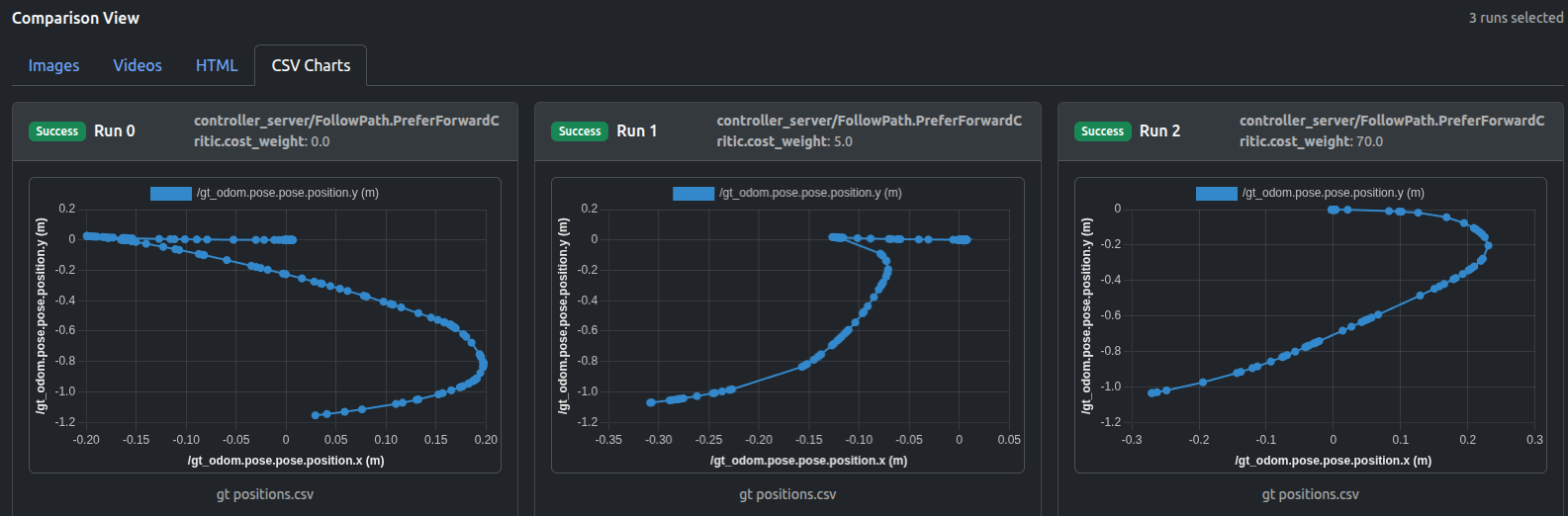
The trajectory plots (either in HTML or CSV formats) indicate the influence of increasing PreferForwardCritic contribution:
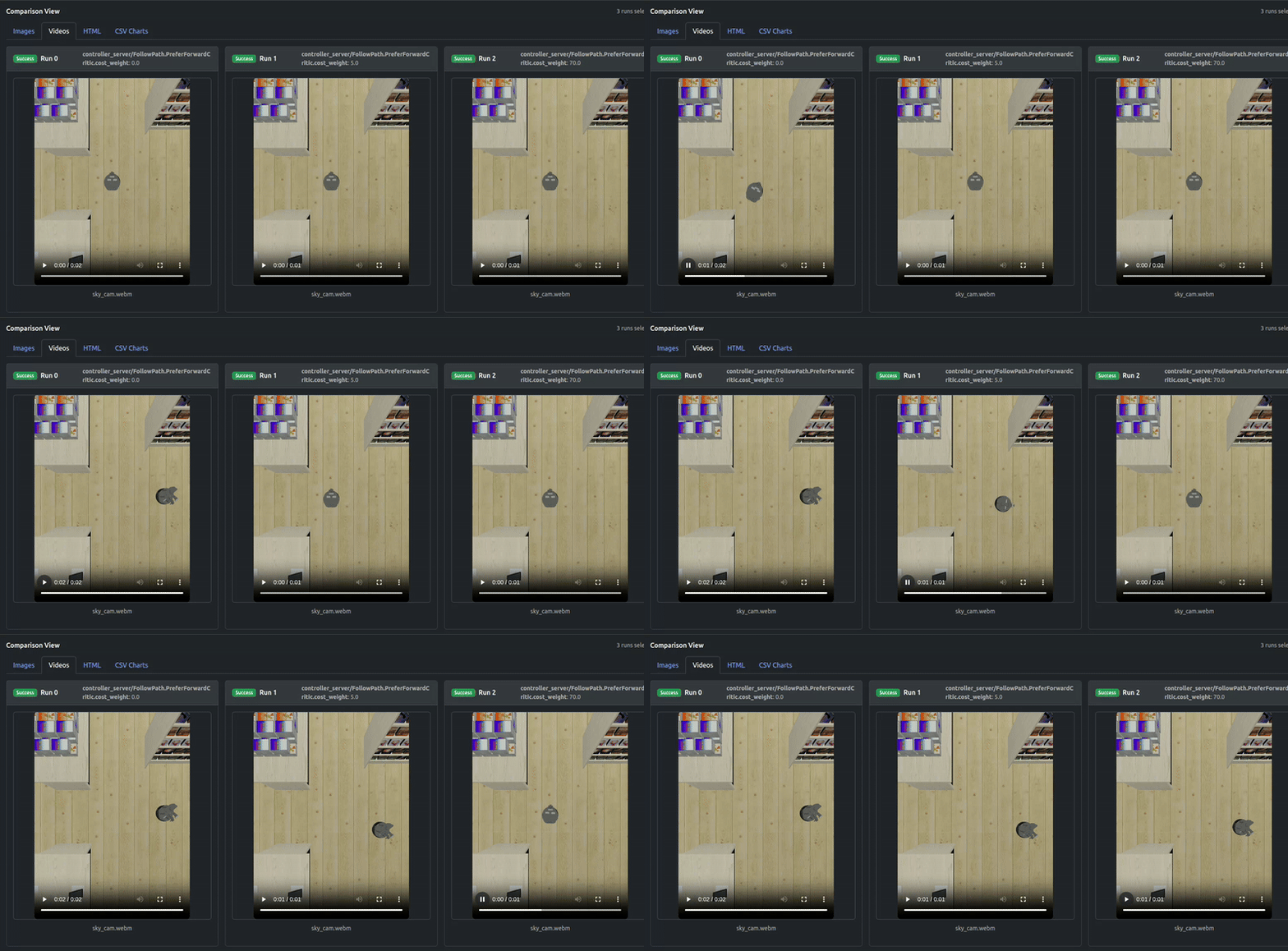
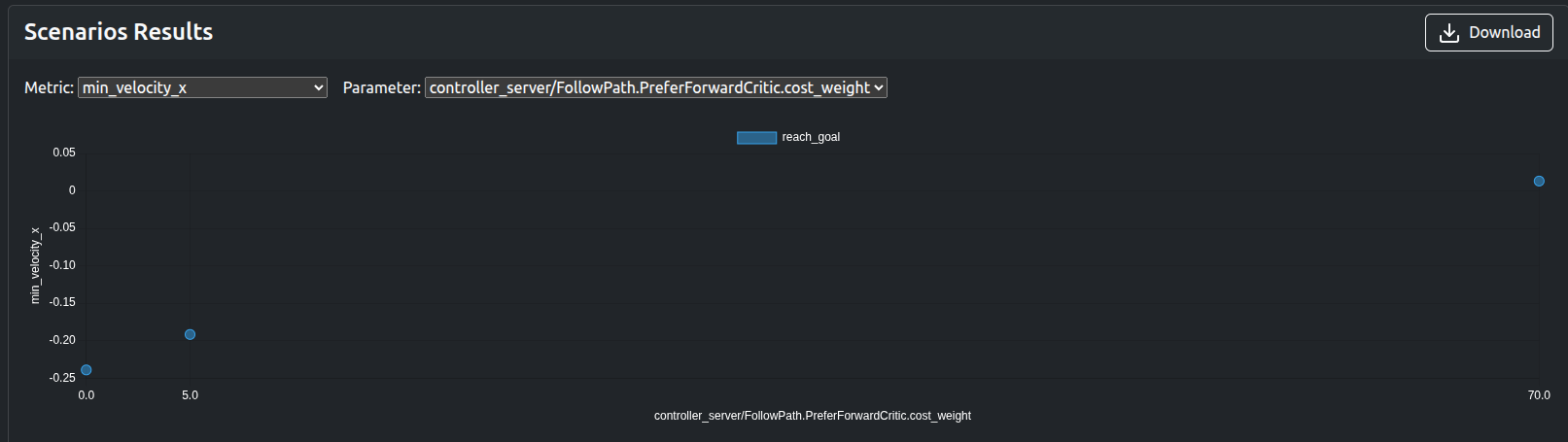
It can be seen that not until the contribution of PreferForwardCritic surpasses PathAngleCritic (weight 70.0), there remains some “moving backward” behavior of robot, whereas weight 70.0 can successfully guarantee the Locobot only moves forward.
The output videos also confirm the results:
The numerical metrics such as min_velocity_x, traverse_time, traverse_dist, PreferForwardCritic.costs_mean can be used to quickly verify the results without visualization:
Remarks
The PreferForwardCritic (soft constraint) was targeted in this demo for tuning process to avoid robot reversing, but another approach can be simply setting vx_min = 0.0 (hard constraint), which prevents the controller from sampling any negative forward velocity (essentially a hard ban on reversing). Increasing the weight for “soft constraint” makes forward motion much more likely, but if every forward sample is worse (i.e: path blocked, goal behind robot in a tight corridor), MPPI can still choose a reverse trajectory, which is not possible in the “hard constraint” case.
However, if you start off with the simplest approach (setting vx_min = 0.0) as a common practice, or attempt to deal with other situations where the backward behavior is undesirable (i.e: steering problems on reverse motion, or robot simply cannot move backwards, and in narrow corridors), the similar parametrized testing process can be conducted by simply extending the Artefacts .yaml configuration (adding new job).
Data available after the tests
ROSbag
Logs
Video/Image of Locobot
Metrics in json format
Critics debugging plots in HTML format
Trajectories in HTML, CSV formats
Artefacts Toolkit Helpers
For this project, we used the following helpers from the Artefacts Toolkit:
get_artefacts_params: to determine which PreferForwardCritic weight value to use
extract_video: created the videos from the recorded rosbag
make_chart: make multiple plots on same HTML chart, supporting critics debugging
The Tron1 robot is a multi-modal biped robot that can be used for Humanoid RL Research. Much of the software is open source, and can be found here.
In this project, we evaluate Tron1 using two reinforcement learning policies under two complementary conditions:
Movement tests, which assess task execution under explicit motion commands
Idle drift tests, which assess passive stability when no motion command is issued
Together, these experiments allow us to study both active locomotion performance and intrinsic stability characteristics of the policies.
Policies under test
We compare two reinforcement learning policies that share the same high-level objective (bipedal locomotion) but differ in training environment and design assumptions:
isaacgym
A policy trained using NVIDIA Isaac Gym, emphasizing fast, large-scale simulation and efficient optimization. These policies typically prioritize robust execution of commanded motions under simplified or tightly controlled dynamics.
isaaclab
A policy trained using Isaac Lab, emphasizing modularity, richer task abstractions, and closer alignment with downstream robotics workflows. This often introduces additional internal structure and constraints in the policy.
Implementation details and training setups are available at:
Movement test: policy comparison under commanded motion
We first run a movement test where the robot is asked to move forward and rotate relative to its starting pose. This evaluates how well each policy executes a simple but non-trivial locomotion task.
The test itself is straightforward:
Move forward 5 meters
Rotate 150 degrees
Complete the task within a fixed timeout
Parameterizing the test
Using the artefacts.yaml file, the movement test is configured as follows:
The test is conducted using pytest (and so pytest_file points to our test file).
Artefacts will look in the two folders described in output_dirs for uploads to the dashboard
We have two sets of parameters:
rl_type: two parameters: “isaacgym” and “isaaclab”
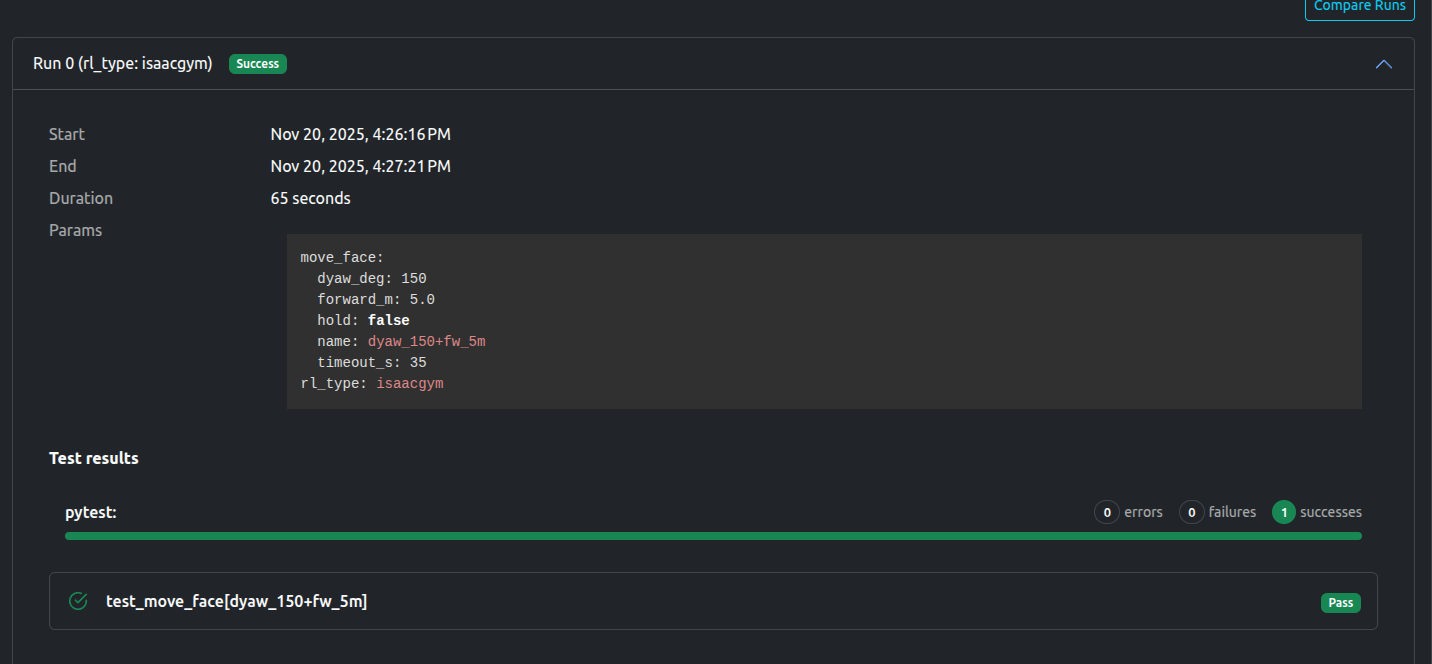
move_face: one parameter set specifying forward distance (5m), rotation angle (150 degrees), and timeout (35 seconds)
The test will run twice, once using the isaacgym policy, and again using the isaaclab policy. Both tests will use the move_face parameter to determine how far, and how much rotation the robot should do.
Results: isaacgym
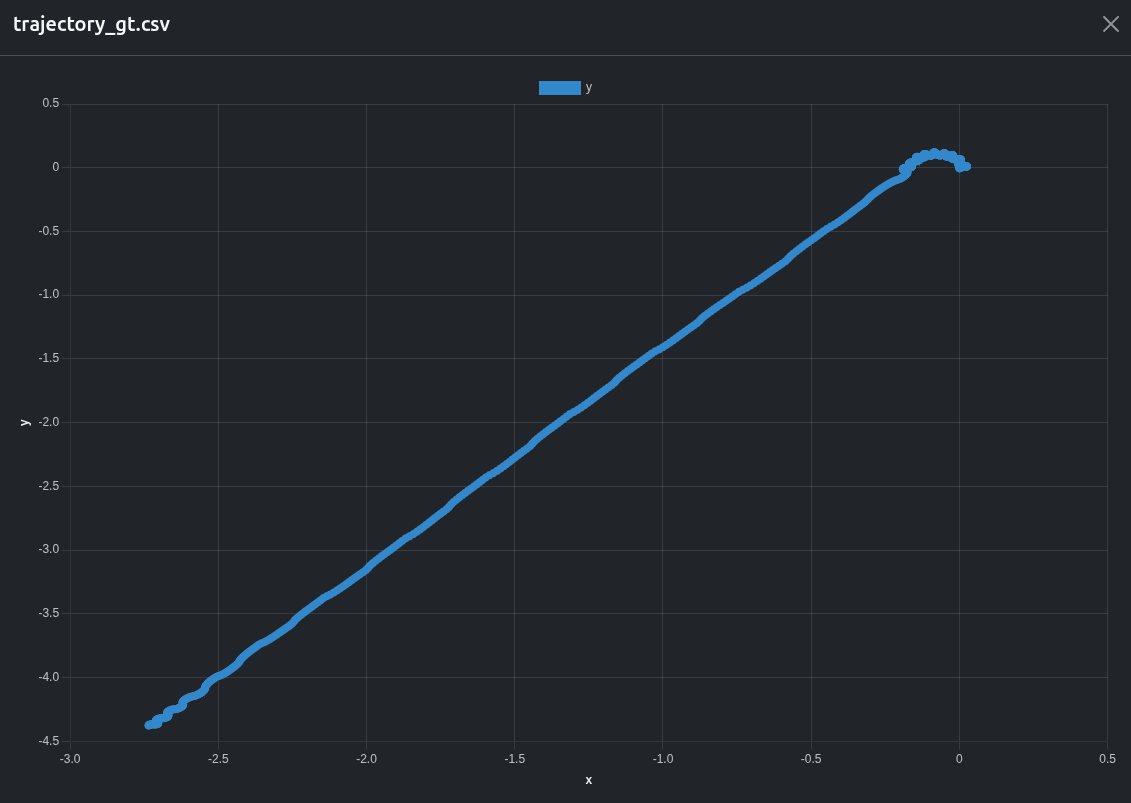
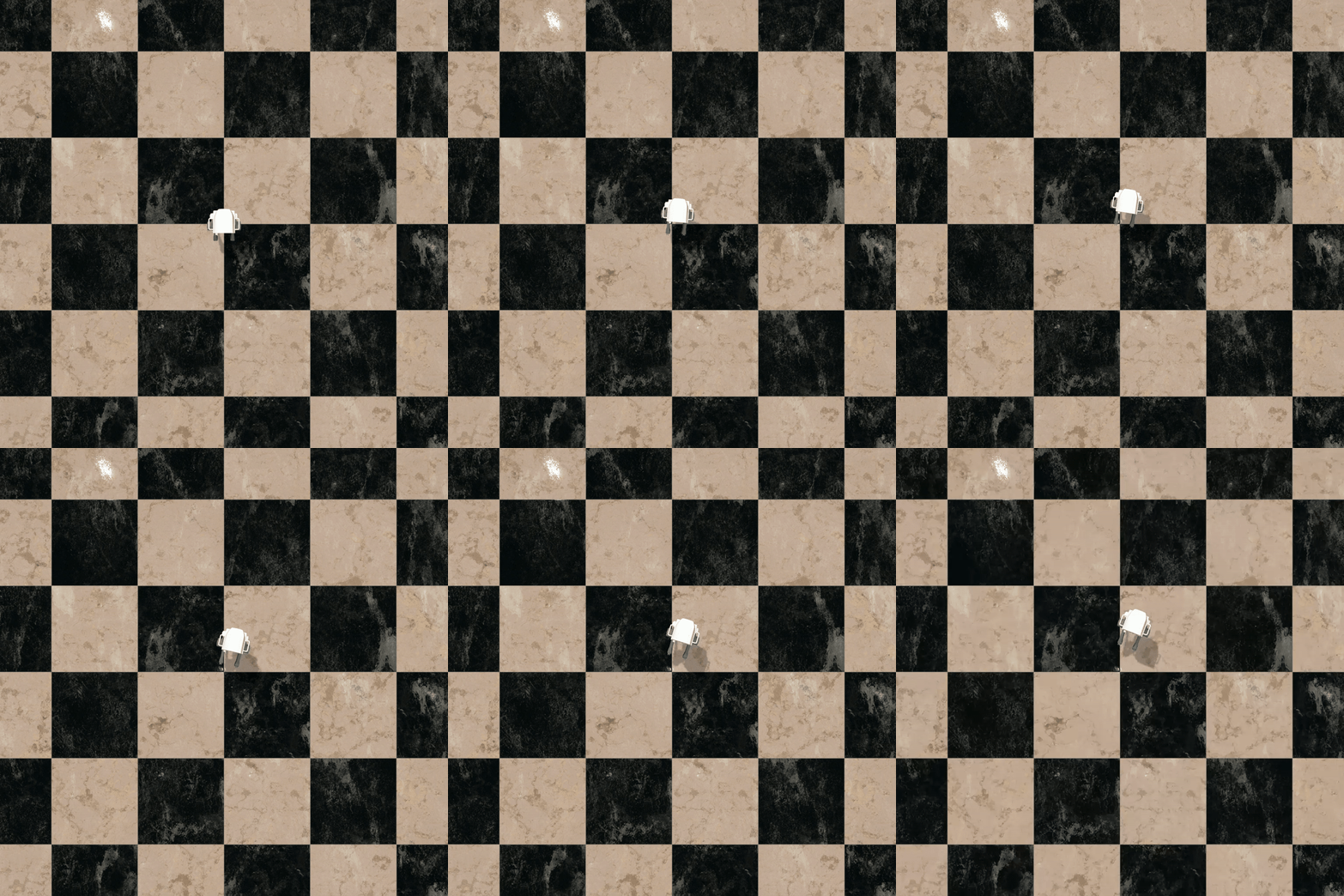
When using the isaacgym policy, we can see (from a birdseye recording) the robot successfuly rotating, and then moving forwards:
The dashboard notes the test as a success:
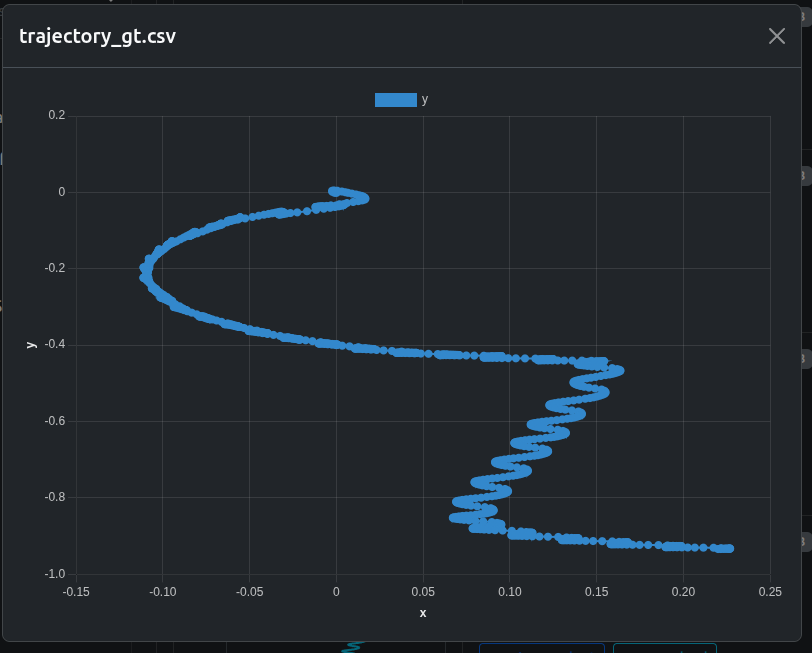
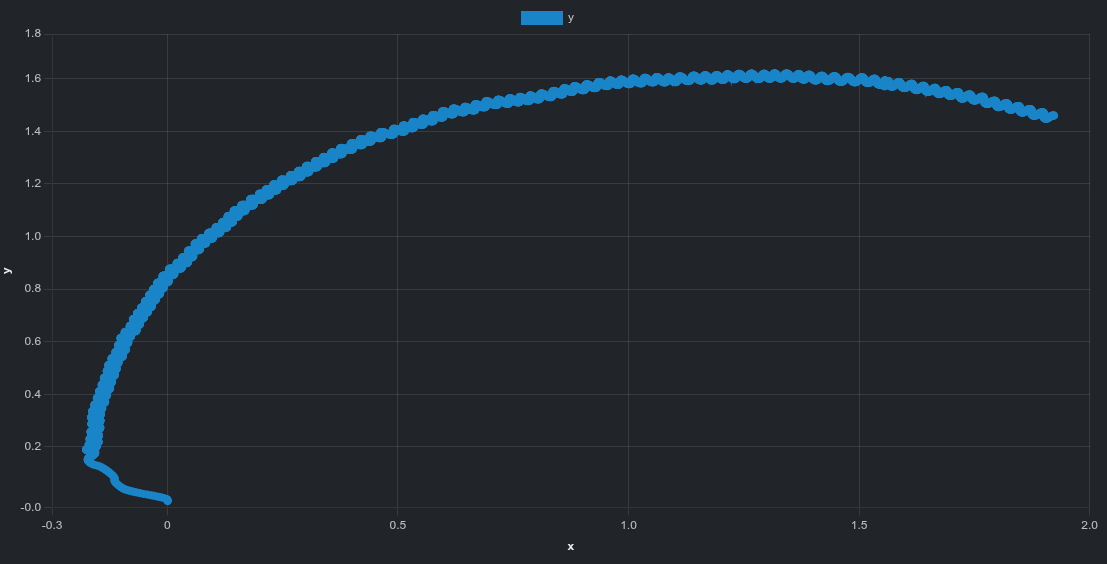
And a csv we created during the test plotting the ground truth movement is automatically converted to an easy to read chart by the dashboard.
Results: isaaclab
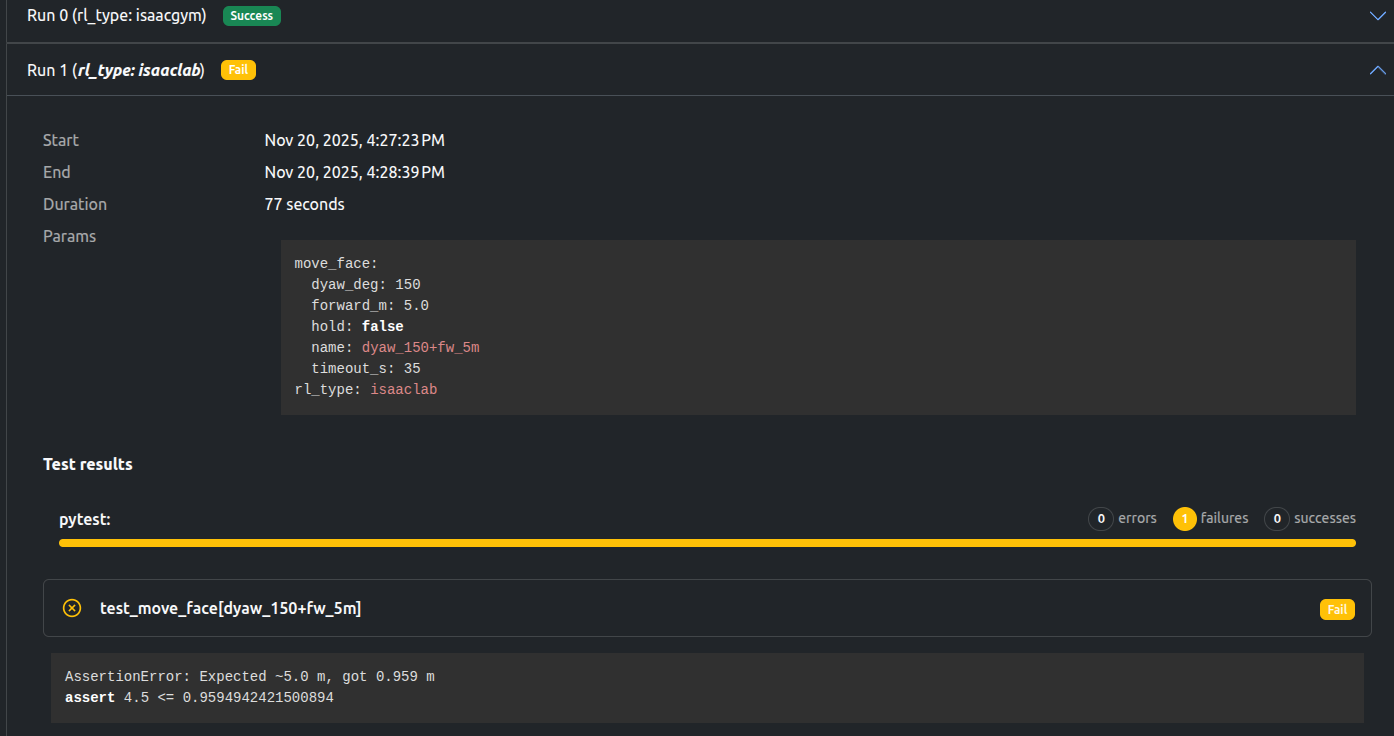
With the isaaclab policy, we see there is still work to be done. The dashboard notes the test as a fail (and shows us the failing assertion), and the birdseye video shows the robot failing to setout its goal.
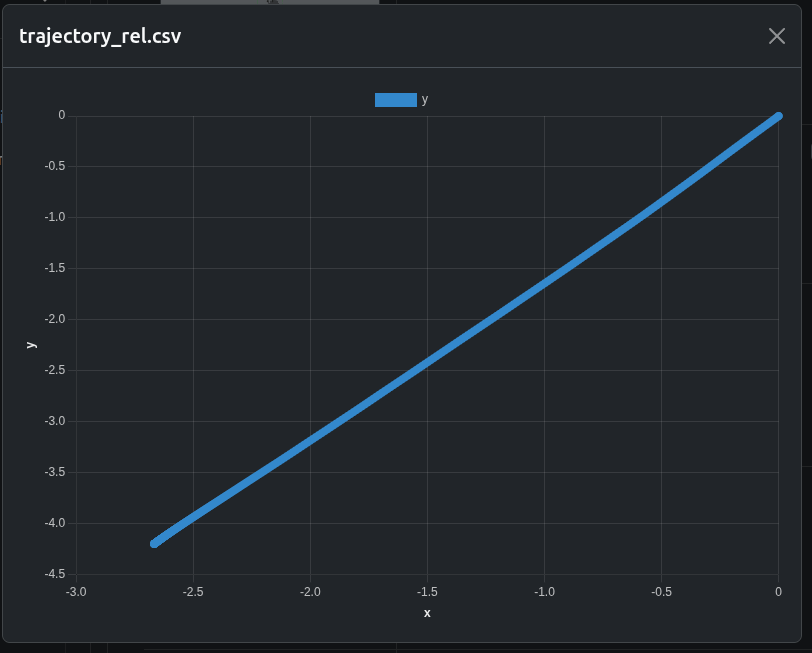
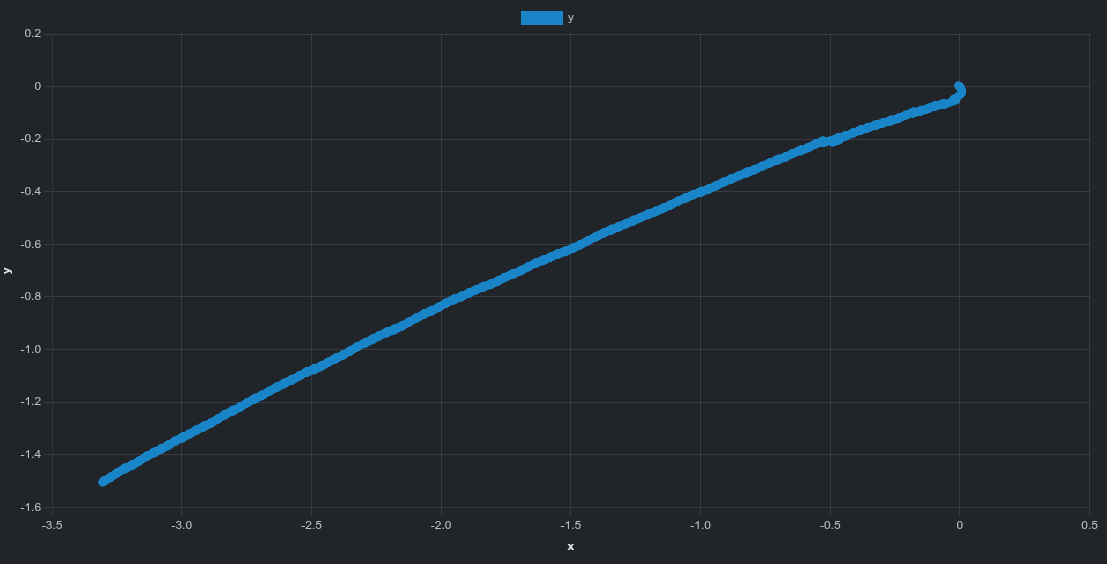
We have a csv (automatically converted to a chart) of estimated trajectory, (i.e what the robot thinks it has done), which we can see is widely different to the ground truth:
Idle drift comparison (stationary robot)
The movement test evaluates task execution under command. To complement this, we perform an idle drift test, where the robot receives no motion command at all.
After initializing the robot in a neutral standing pose, no velocity, pose, or locomotion commands are issued. The policy continues running normally, and any observed motion is therefore uncommanded.
This test isolates passive stability behavior, independent of task execution.
Test setup and durations
Idle drift is evaluated at two time scales:
10 seconds, capturing immediate transients and short-term controller bias
60 seconds, capturing slow accumulation effects such as yaw creep or gradual planar drift
Using both durations allows us to distinguish between short-term stability and long-term equilibrium behavior.
Each run corresponds to one (policy, duration) pair
Metrics are written to metrics.json and automatically displayed in the Artefacts dashboard
Visual results
For each duration, the two policies are compared side-by-side using birdseye recordings.
10 second idle test
isaacgym
isaaclab
60 second idle test
isaacgym
isaaclab
Metrics and evaluation
For each idle drift run, the following ground truth metrics are reported:
Duration – actual elapsed runtime of the test
X_final, Y_final – final planar displacement relative to the start
XY_final – total planar drift magnitude
Yaw_final_deg – accumulated yaw drift
An example metrics panel from the dashboard is shown below:
These metrics provide a compact quantitative summary that complements the visual observations.
Trajectory plots (60 second idle test)
In addition to scalar metrics, the dashboard provides interactive planar trajectory plots derived from ground truth pose data.
Global trajectory view
isaacgym
isaaclab
isaacgym exhibits a pronounced curved drift trajectory.
isaaclab shows a more linear overall drift direction.
Zoomed-in trajectory view
isaacgym
isaaclab
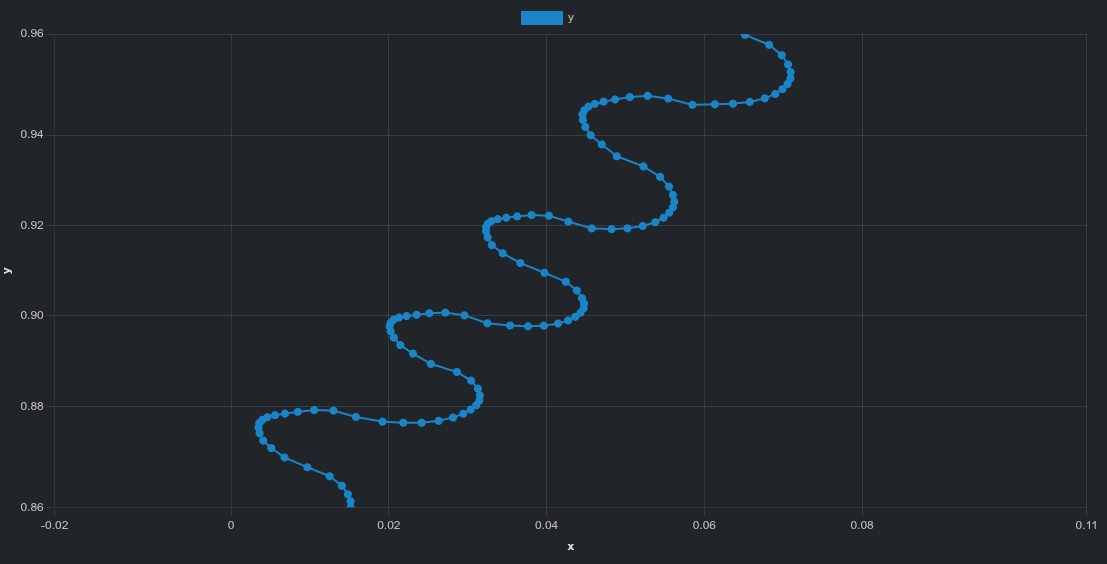
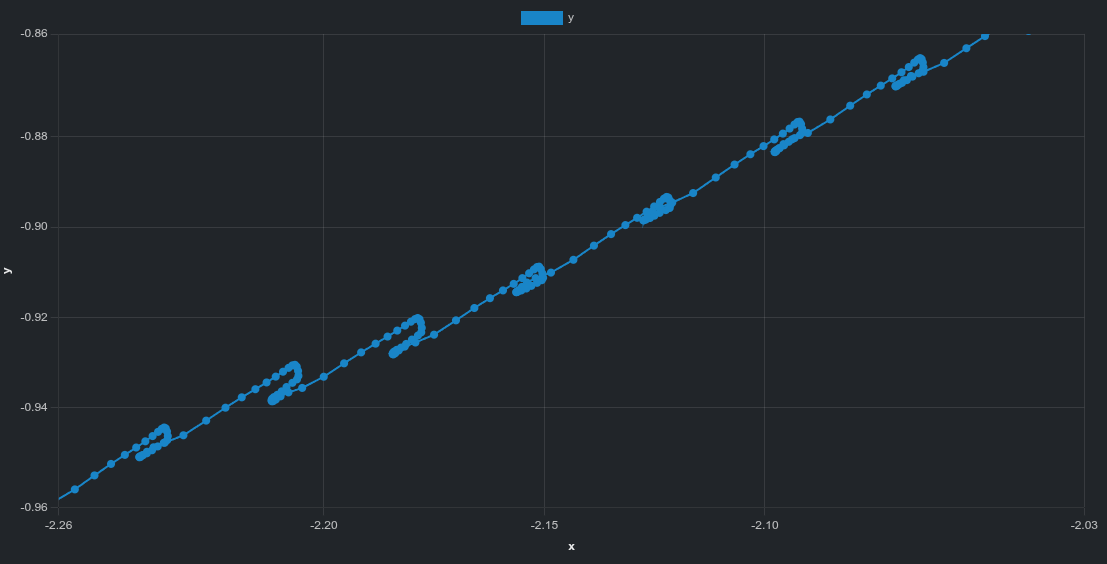
The zoomed-in view reveals fine-scale structure:
oscillatory behavior for isaacgym,
smaller but irregular deviations for isaaclab.
These patterns are difficult to see in videos alone but become clear when inspecting trajectory data directly.
What we learn from these tests
The movement and idle drift experiments are complementary:
The movement test evaluates task execution under explicit command
The idle drift test evaluates passive stability in the absence of command
By combining both, we obtain a clearer picture of policy behavior under both active and idle conditions, helping distinguish between execution errors and intrinsic stability characteristics.
Data available after the tests
For both movement and idle drift experiments, Artefacts provides access to:
ROSbag recordings
Video of the active robot in Gazebo, both birdseye and first person,
Stdout and stderr logs
Debug logs
CSV of the trajectory (estimated) automatically displayed as a graph in the dashboard
CSV of the trajectory (ground truth) automatically displayed as a graph in the dashboard
Metrics summaries for quantitative comparison
Artefacts Toolkit Helpers
For this project, we used the following helpers from the Artefacts Toolkit: